Subscriptions
The chat knows the customer's subscription: next delivery, products and frequency.
Read moreWhere is my order, can my delivery come a week later, how do I return something? Loyalo answers those itself: with buttons in the chat and an AI that answers from your knowledge base and the customer's own data. What needs a person lands in one inbox with your team, with the customer's orders, subscription and points next to it.
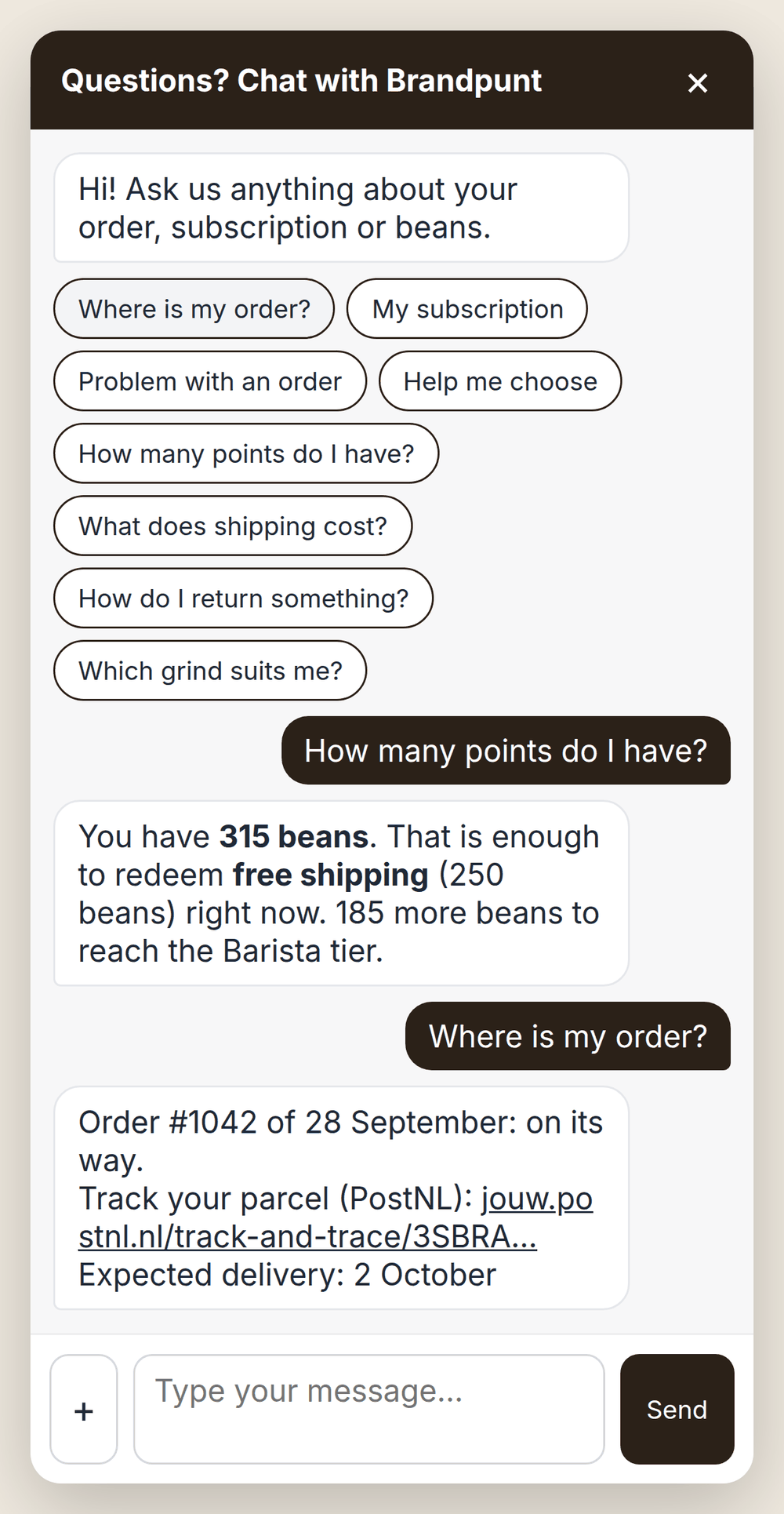
Under the greeting are buttons for what customers ask most. One click answers straight from your own data. A customer who prefers to type gets the AI.
A logged-in customer sees where their order is with one click, with the carrier's tracking link. A guest enters the order number and the e-mail address of the order. Questions about points, shipping or products are answered by the AI from your knowledge base.
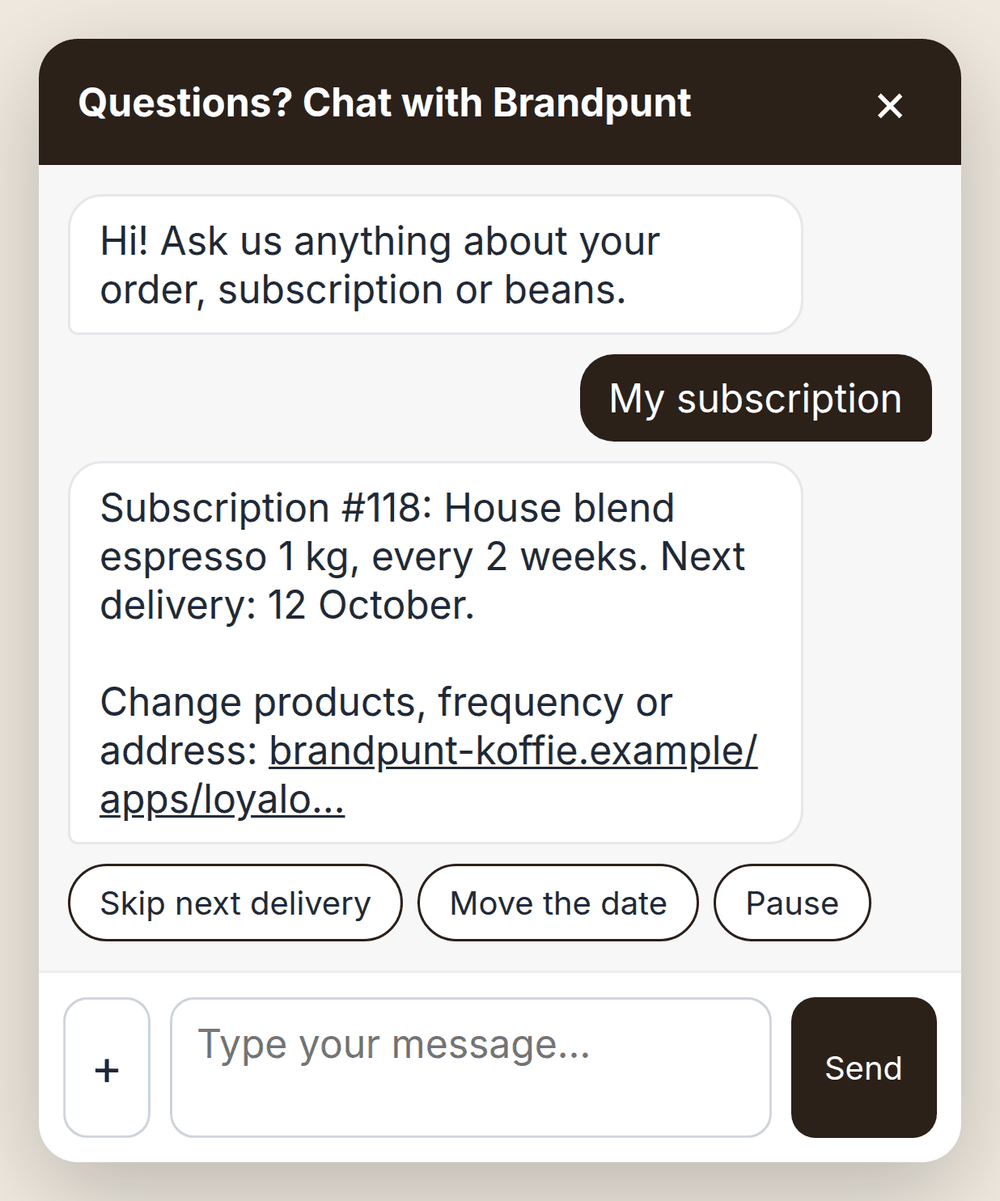
A subscriber sees their subscription and the next delivery date in the chat, with buttons to skip that delivery, move the date or pause. It happens right away, within the rules you set for the customer portal.
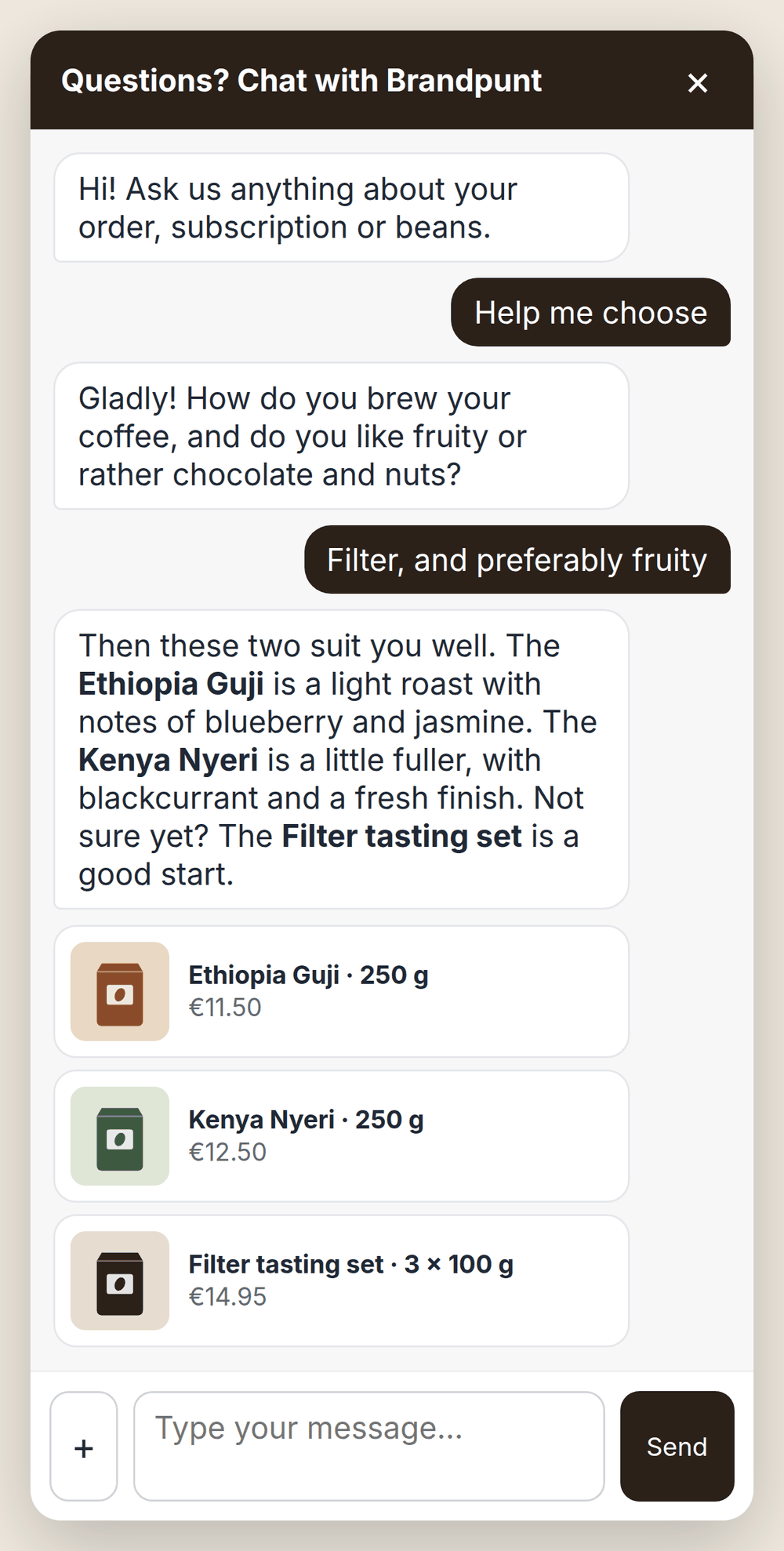
Which coffee suits me? The AI searches your own products, asks one question if needed and recommends what fits. The products appear as cards with photo, price and link under its answer, and the chat stays open on the product page.
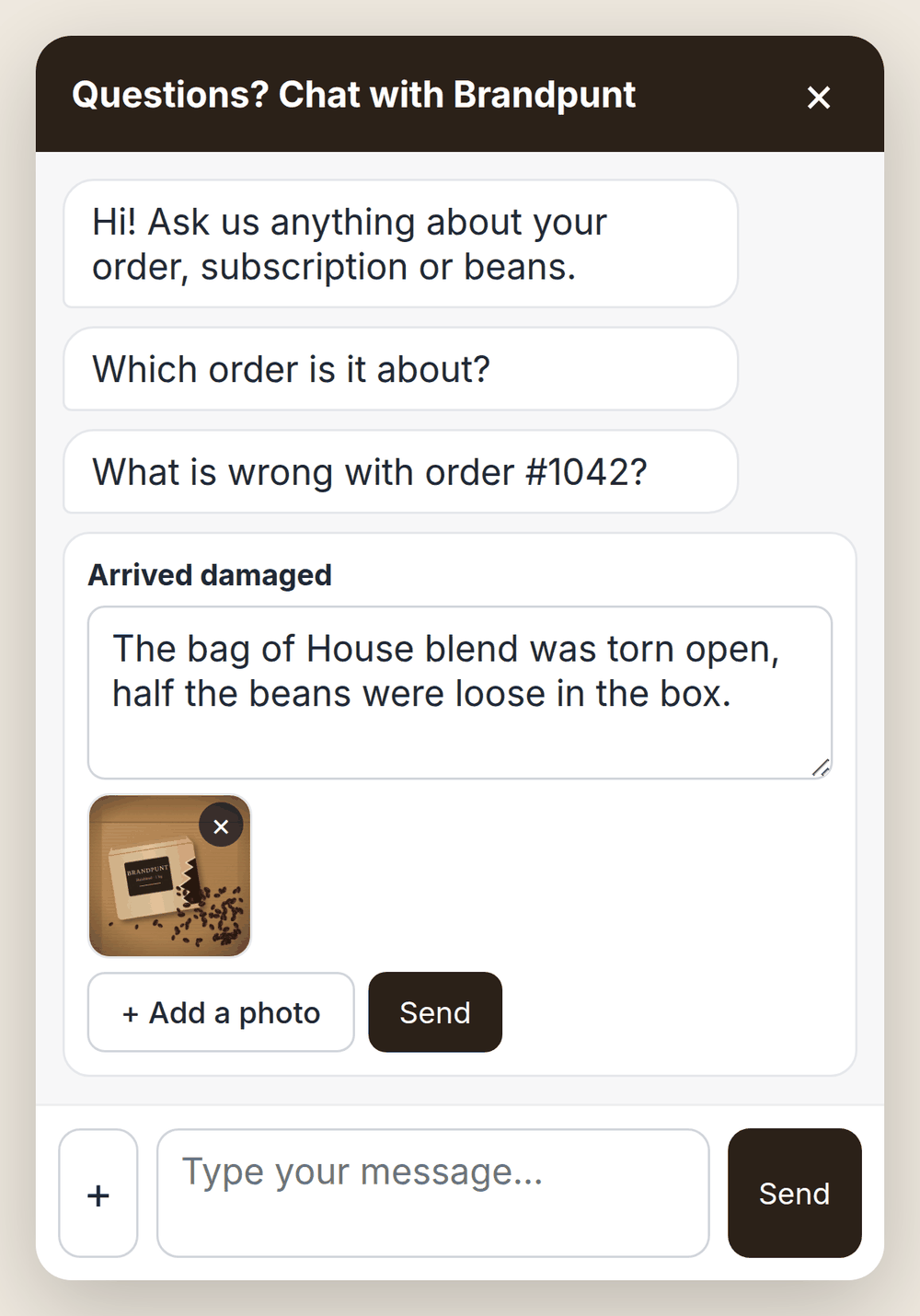
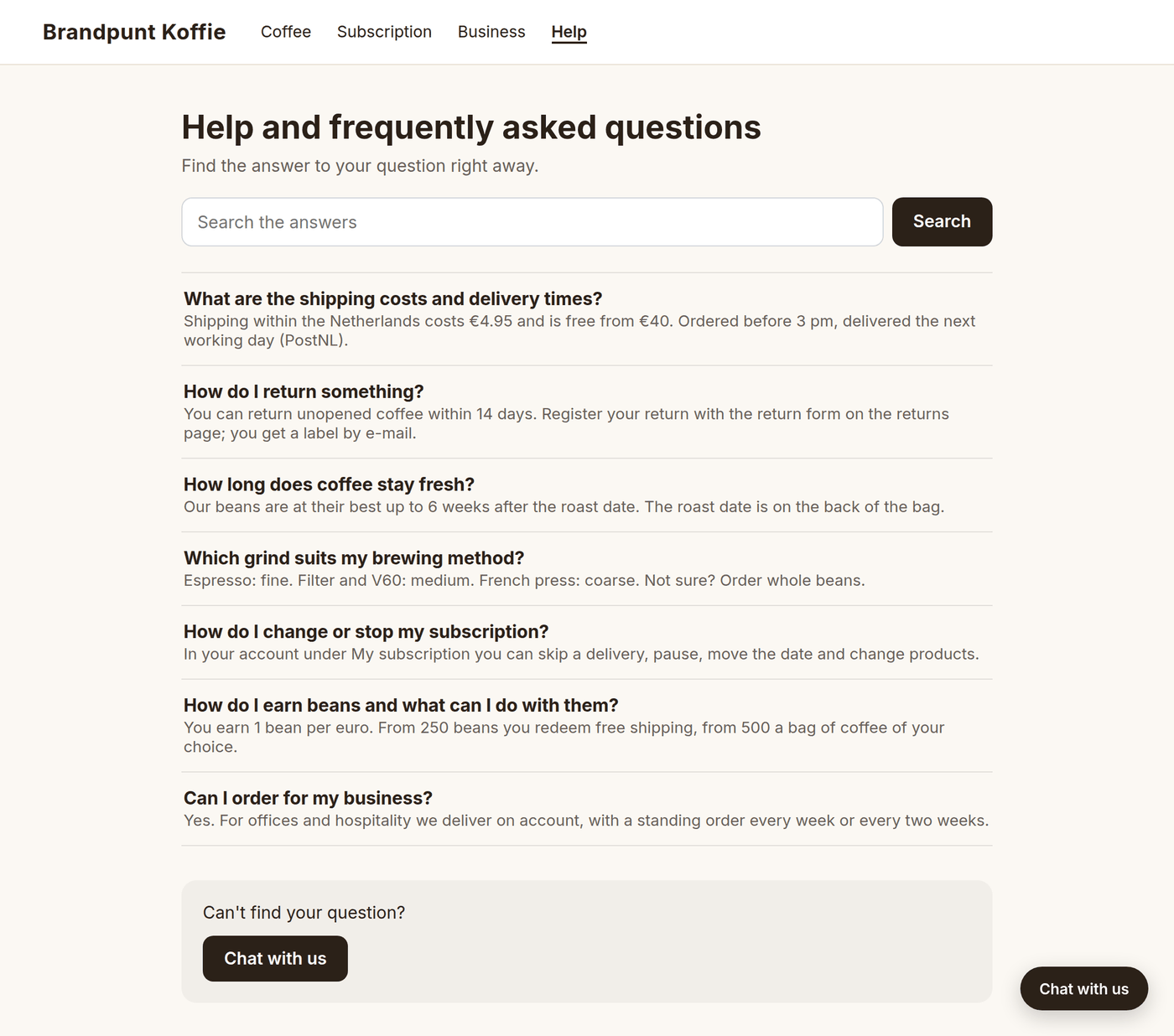
When a parcel is damaged or has not arrived, the customer picks the order and what is wrong, and explains it, with a photo if they like. Your team gets one conversation with the order, the status, the items, the explanation and the photos.
In the chat on your shop, by e-mail or through the contact form. Everything lands in the same inbox.
From your knowledge base and, for a logged-in customer, from their own orders, subscription and points.
With a summary, a topic and a priority. Your team gets a notification by e-mail, and in Slack if you connect it.
The customer, their orders and their subscription are next to the conversation. Refunds and discount codes are done from the inbox.
Every conversation is a ticket with a number, a status, a topic and an owner. You see what is open, what is yours and what the AI is handling right now.
You do not need to open Shopify to answer a question. Next to the conversation are the orders with tracking, the subscriptions, the points balance and earlier conversations, with the actions that go with them.
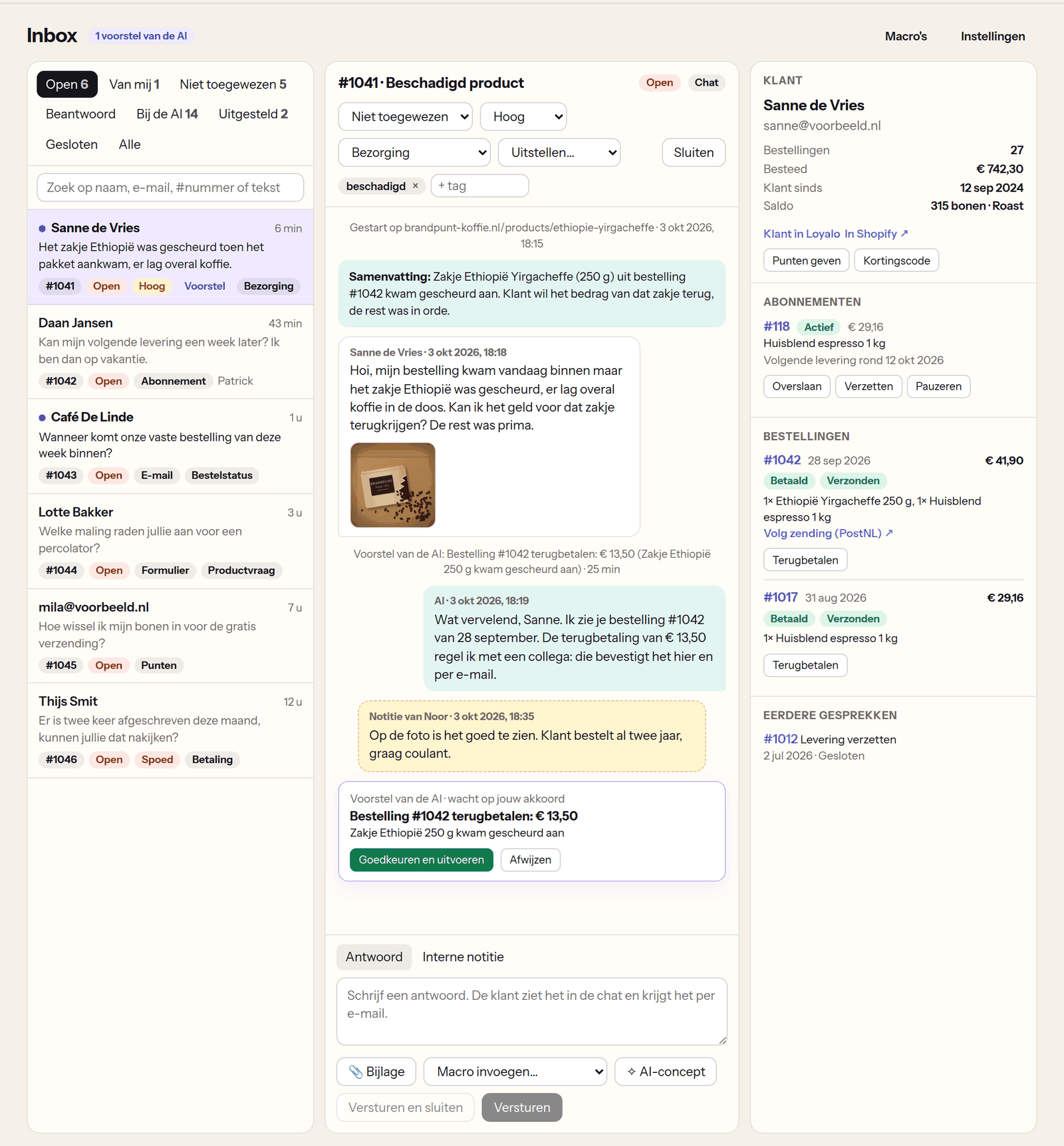
You write one article per topic: shipping, returns, your products. The AI uses those articles and adds nothing of its own. You do not have to start from a blank page: Loyalo drafts a first set from your shop's policy pages, which you read before adding it.
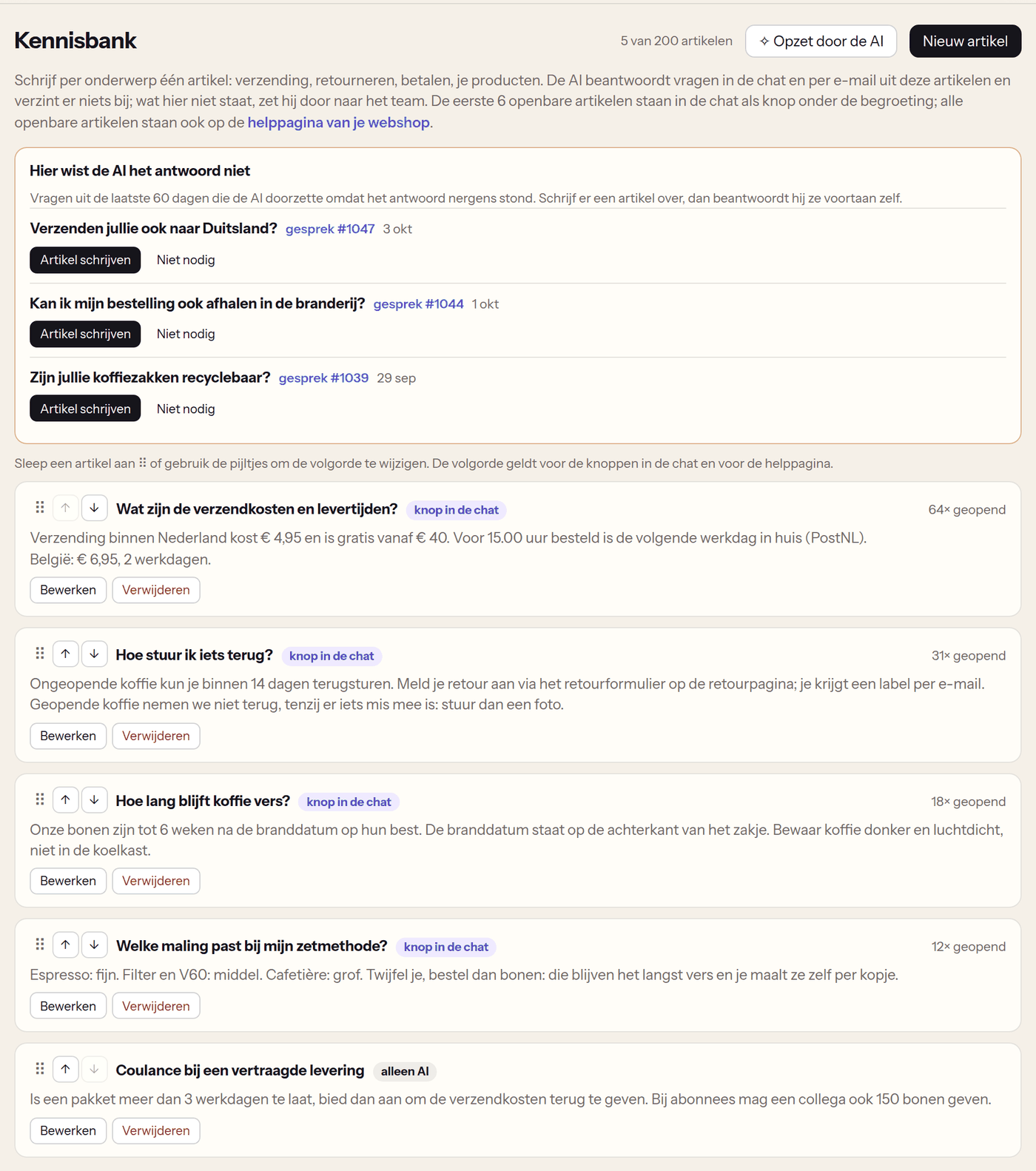
A rule looks at the channel, the topic, words in the message and who the customer is. It tags, assigns, sets the priority, sends a macro as a reply or closes the conversation. Answered conversations close by themselves after a number of days without a reply.
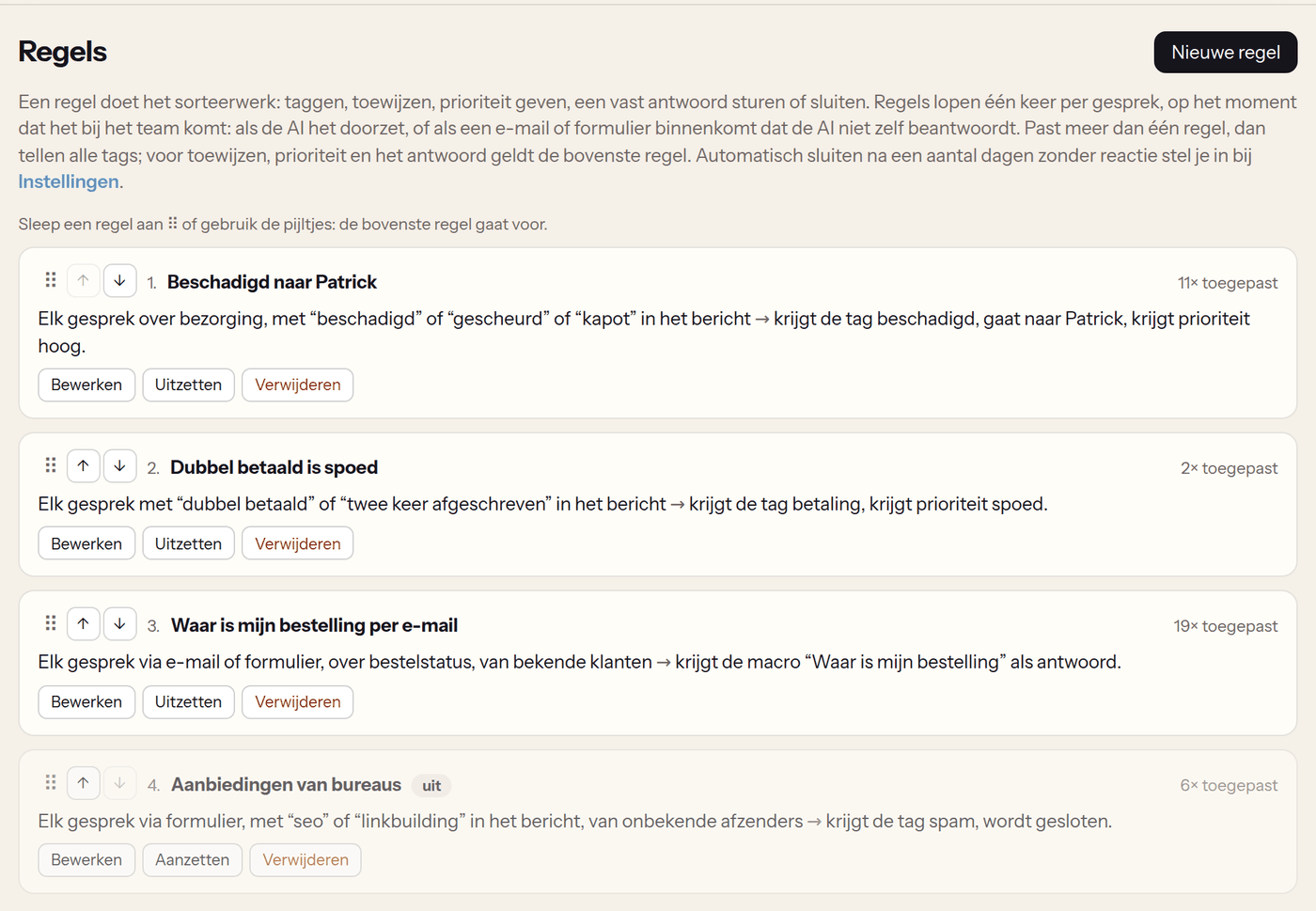
All public articles are on a page of their own in your theme, with a search field and a button to the chat. Put the link in your menu or footer, and customers find the answer before they ask.
You can also let the AI only look things up and answer, or switch it off. Then every question goes straight to your team.
| What the customer asks | What happens |
|---|---|
| Where is my order? | The AI or the button gives the status and the tracking link |
| How many points do I have and what can I do with them? | The AI checks it for the logged-in customer |
| Can my delivery come a week later? | The AI moves the delivery, if the customer may also do that in the portal |
| I want my money back | The AI makes a proposal with amount and reason; you approve or reject |
| Can I cancel this order? | A proposal for your team, never by itself |
| A question the answer is not known to | The AI hands over to your team, with a summary |
The AI only uses a customer's data when that customer is logged in. By e-mail the AI never changes anything itself: that always becomes a proposal.
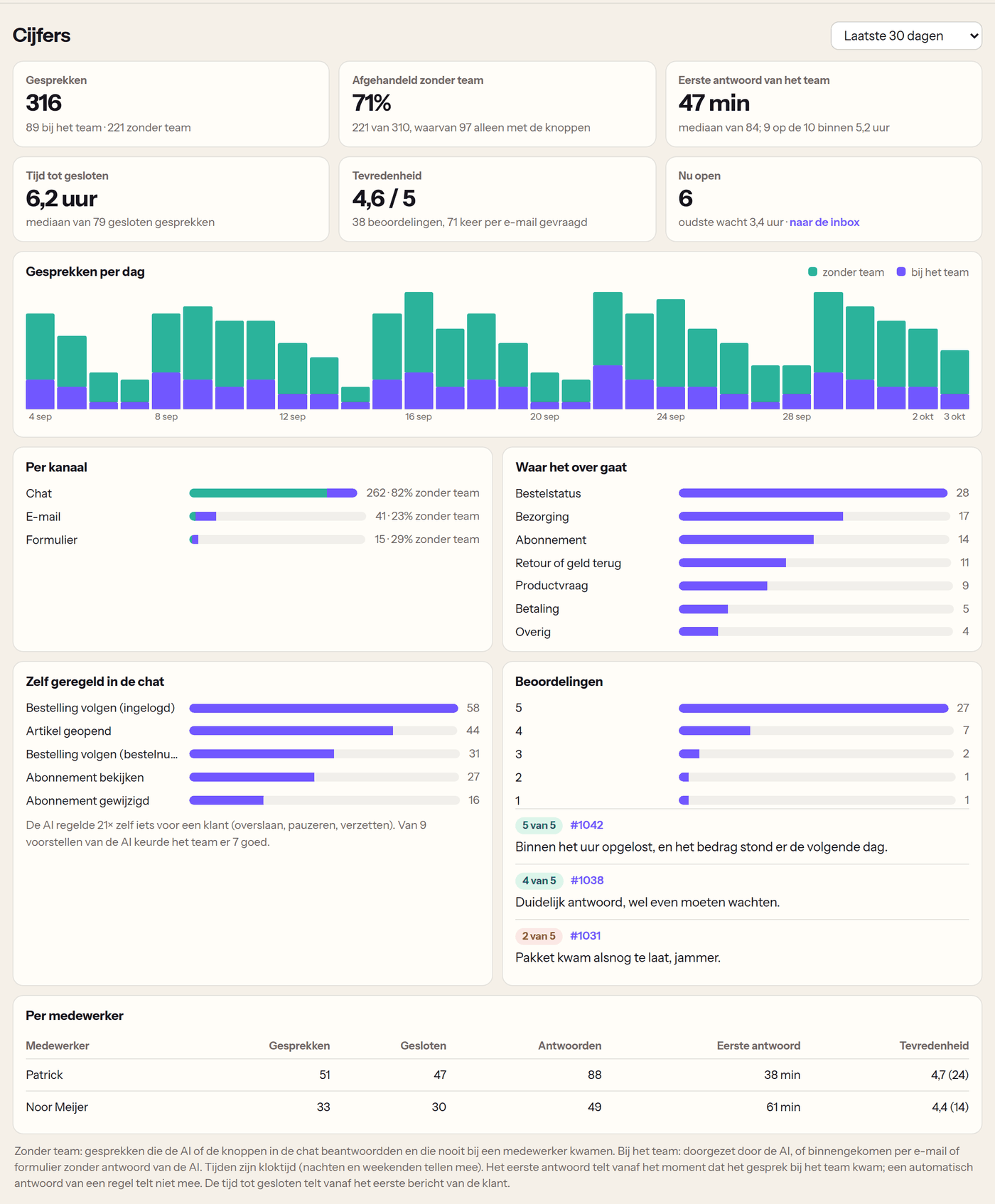
The Statistics page shows how many conversations came in, how many the AI and the buttons settled themselves, how fast your team first replied and how long it took until a conversation was closed.
AI chat also works without subscriptions or points. If you do use them, the chat knows all about them.
The chat knows the customer's subscription: next delivery, products and frequency.
Read moreWhat a customer may do in the portal, they may also do through the chat. You set it once.
Read morePoints balance, rewards and tiers: the AI answers it for the logged-in customer.
Read moreNo price per conversation and no price per team member. You can already try AI chat in the 14-day trial.
See all pricesAI customer service means an AI answers a customer's question first, in the chat on your shop. In Loyalo the AI answers from your own knowledge base and, for a logged-in customer, from their orders, subscription and points. What needs a person goes on to your team with a summary.
Yes. AI chat will also be available on its own, for € 79 per month, or together with product reviews for € 99 per month. You get the inbox, the chat on your shop, e-mail, the contact form and the AI. If you also use a Loyalo plan for subscriptions, it will be an add-on of € 49 per month. AI chat goes on sale soon.
From the articles in your knowledge base, the short text you enter in the settings and, for a logged-in customer, from their own orders, subscription and points. If the answer is not there, the AI does not guess: the question goes on to your team.
No. For a refund, a cancellation, ending a subscription, a discount code or extra points the AI makes a proposal. A team member approves or rejects it with one click. Nothing happens until it is approved.
For a logged-in customer: skip or move the next delivery, pause and resume the subscription. Only what you also let that customer do in the customer portal. You can switch this off; the AI then only looks things up and answers.
You get your own inbox address at Loyalo and forward the mail of your customer service address to it. Every e-mail becomes a conversation. Your reply goes out in your shop's name, and the customer's answer lands in the same conversation.
Yes. A guest enters the order number and the e-mail address of the order. If both are right, they see the status and the tracking link. The number of tries per conversation is limited.
The chat window and the buttons are available in Dutch, English and German. The AI answers in the customer's language. The dashboard is available in Dutch and English.
You do not pay per conversation. The AI does have a generous daily limit per shop. When it is reached, new questions go straight to your team, so no question gets lost.
Yes. The AI searches your own catalogue and advises from what your product pages say: description, type, tags, price and stock. The products it recommends appear as cards under its answer. It never recommends a product that is not in your webshop.
Yes. You choose the form of address (informal or formal), give the assistant a name if you like and write your own house rules. With 'Test the AI' in the settings you see at once what a visitor gets as an answer, without anything being stored.
Yes. In the chat and with a problem report a customer can send up to three photos (JPG, PNG or WebP). The AI looks at them and your team sees them in the conversation. Your team can add a photo or PDF to a reply, a return label for example. Video is not possible.
Not yet. Right now there are three channels: the chat on your shop, e-mail and the contact form.
Read on Set up AI chatKnowledge base and help pagePricingCustomer portalSubscriptions
In half an hour we show you how Loyalo works in your shop, or we send you an install link right away. The trial runs for 14 days and needs no credit card.
Try AI chat in your own shop for 14 days. Switch on the chat, let the AI draft a first knowledge base and see what comes in.