Customer Loyalty
Give points for a review, with extra points for a photo. The form says how many.
Read moreAfter an order Loyalo asks your customer for a review, with the stars already in the e-mail. The review appears with photos on your product page, with the stars under the product title, and you reply from the same dashboard as your subscriptions and points. You bring your existing reviews along from your current app.
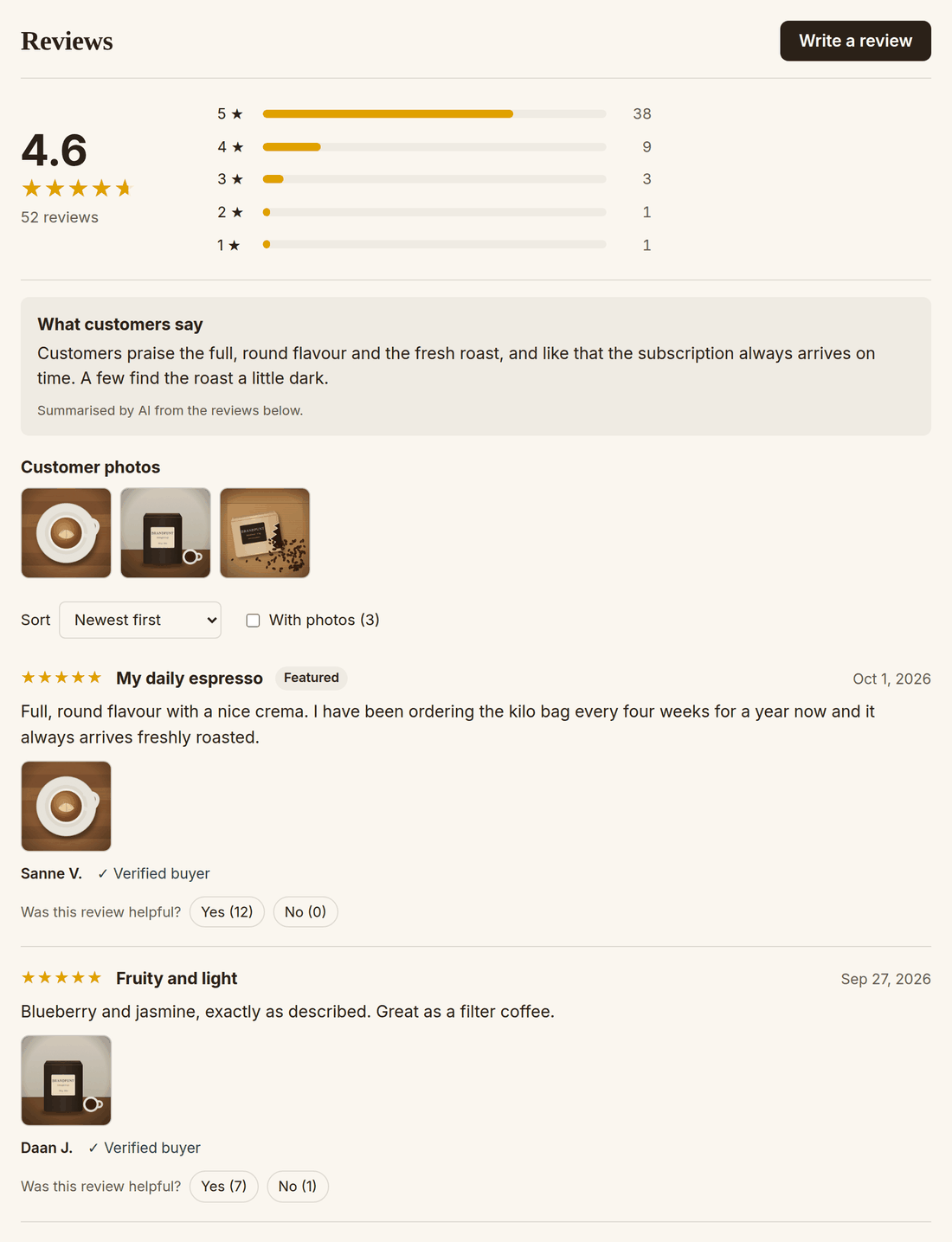
The block on your product page shows the average, the spread of the stars, customer photos and the reviews themselves. The first reviews are in the page itself, so they are there for search engines too.
A visitor sees the average and the spread of the stars at a glance, and clicks a bar to read only those reviews. From five reviews with text, the AI writes in a few sentences what customers say, including criticism that several customers mention. A note says it is a summary by AI.
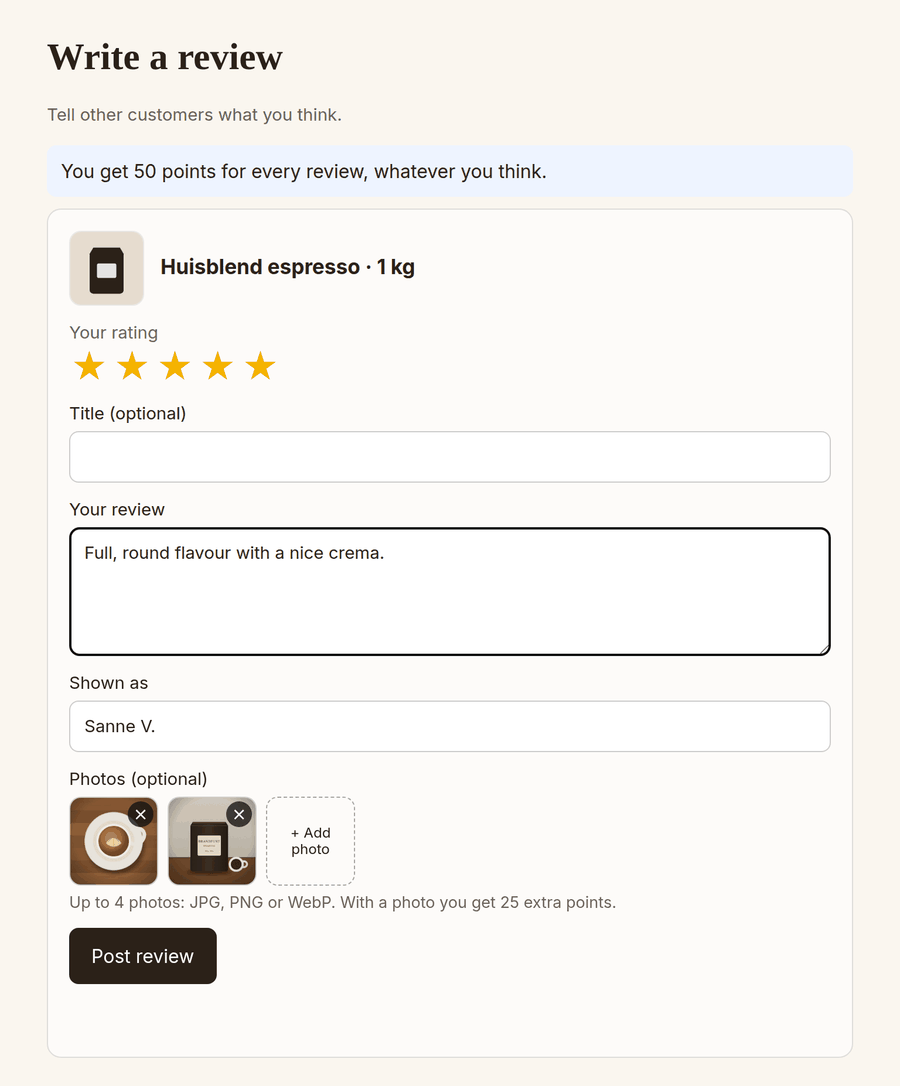
The invitation shows the products of the order with five stars under each. A click opens the form in your own webshop, in your own theme. The customer writes a title and text, chooses how their name is shown and adds photos.
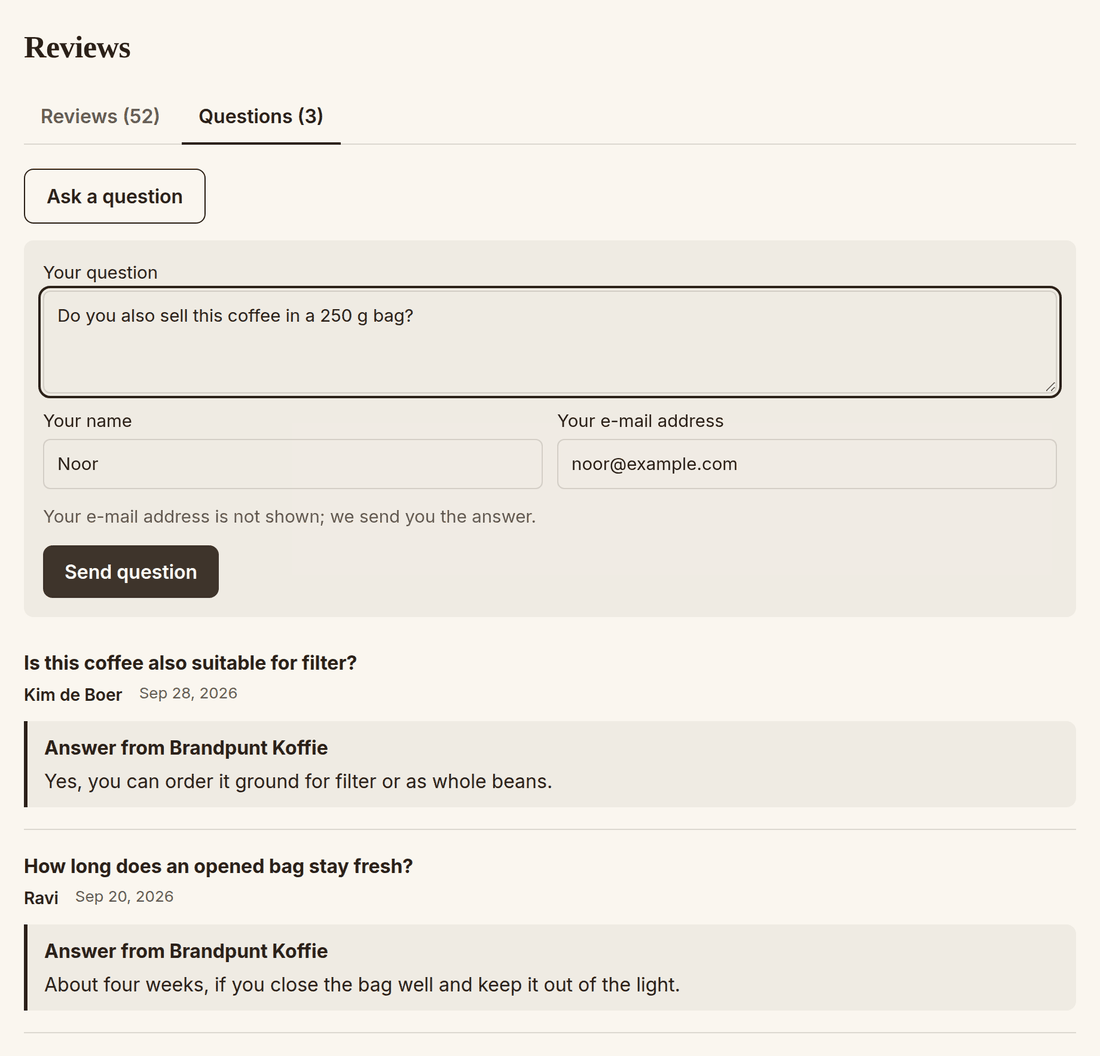
Next to the reviews there is a Questions tab. A visitor fills in their question, name and e-mail address. You get a message and answer in the dashboard. The answer appears on the product page and goes by e-mail to whoever asked.
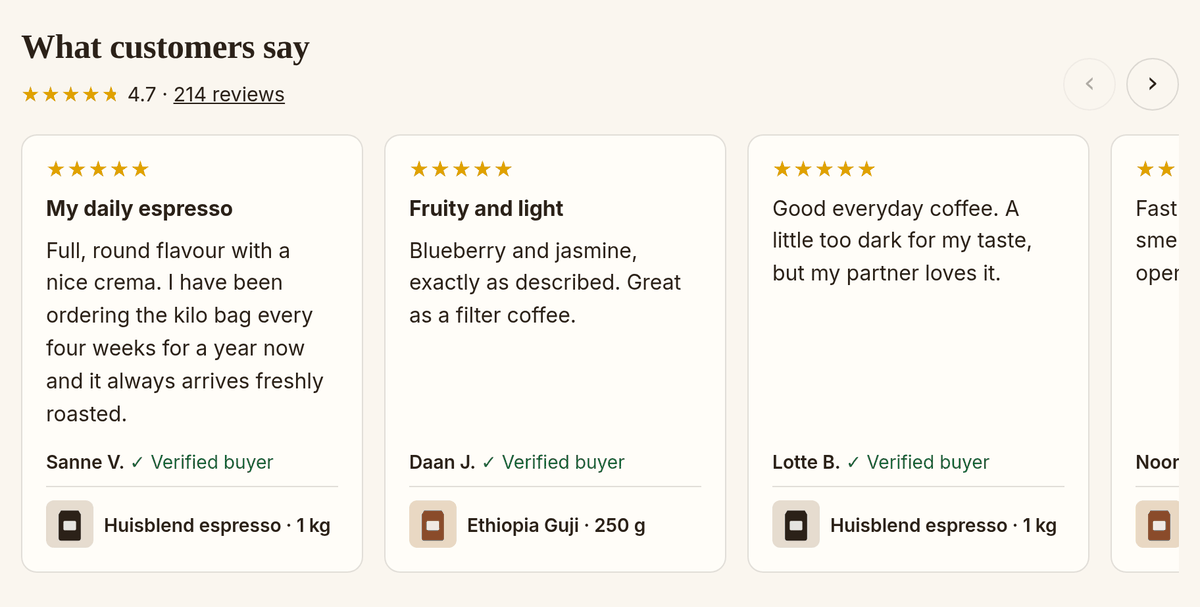
The block Loyalo review-carrousel shows reviews of all your products, with the product and a link to the page with all reviews. You choose from how many stars a review takes part and how many reviews are shown.
Loyalo plans the invitation a number of days after payment and waits until the order has shipped.
By e-mail, with the products of the order. One reminder when no review comes, and never more often than you set.
In your own webshop, with stars, text and photos. The review appears on the product page right away, or waits for you first.
With points or a discount code, for every review, whatever the customer thinks. You reply to a critical review from the dashboard.
Product reviews has its own section in the menu: reviews, questions, invitations, statistics, display, import and settings. The dashboard is available in Dutch and English.
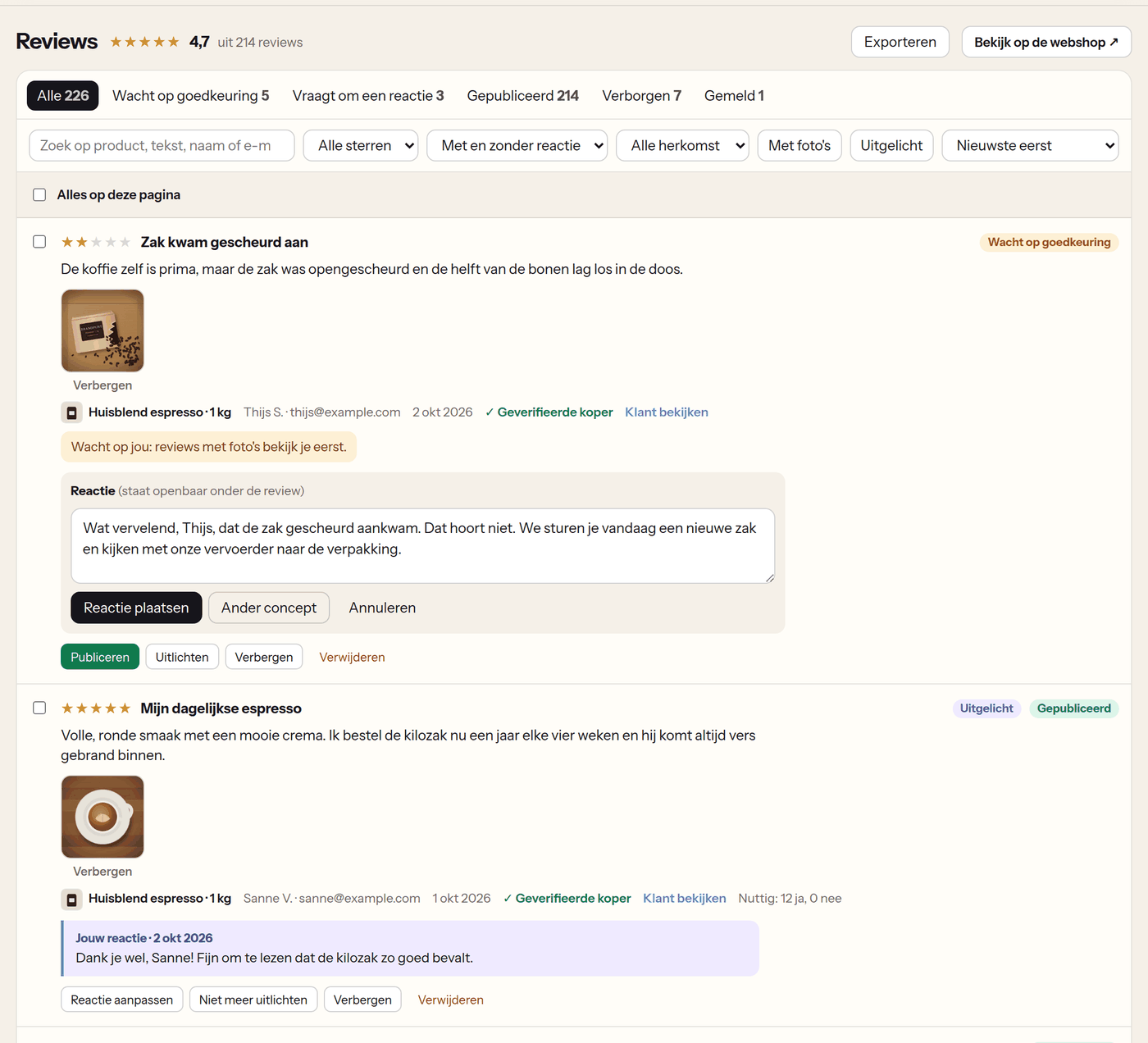
You filter on status, stars, photos, product or origin and handle several reviews at once. For a reply the AI writes a draft, from your own keywords if you like. You check it and post it. The customer gets an e-mail that you replied.
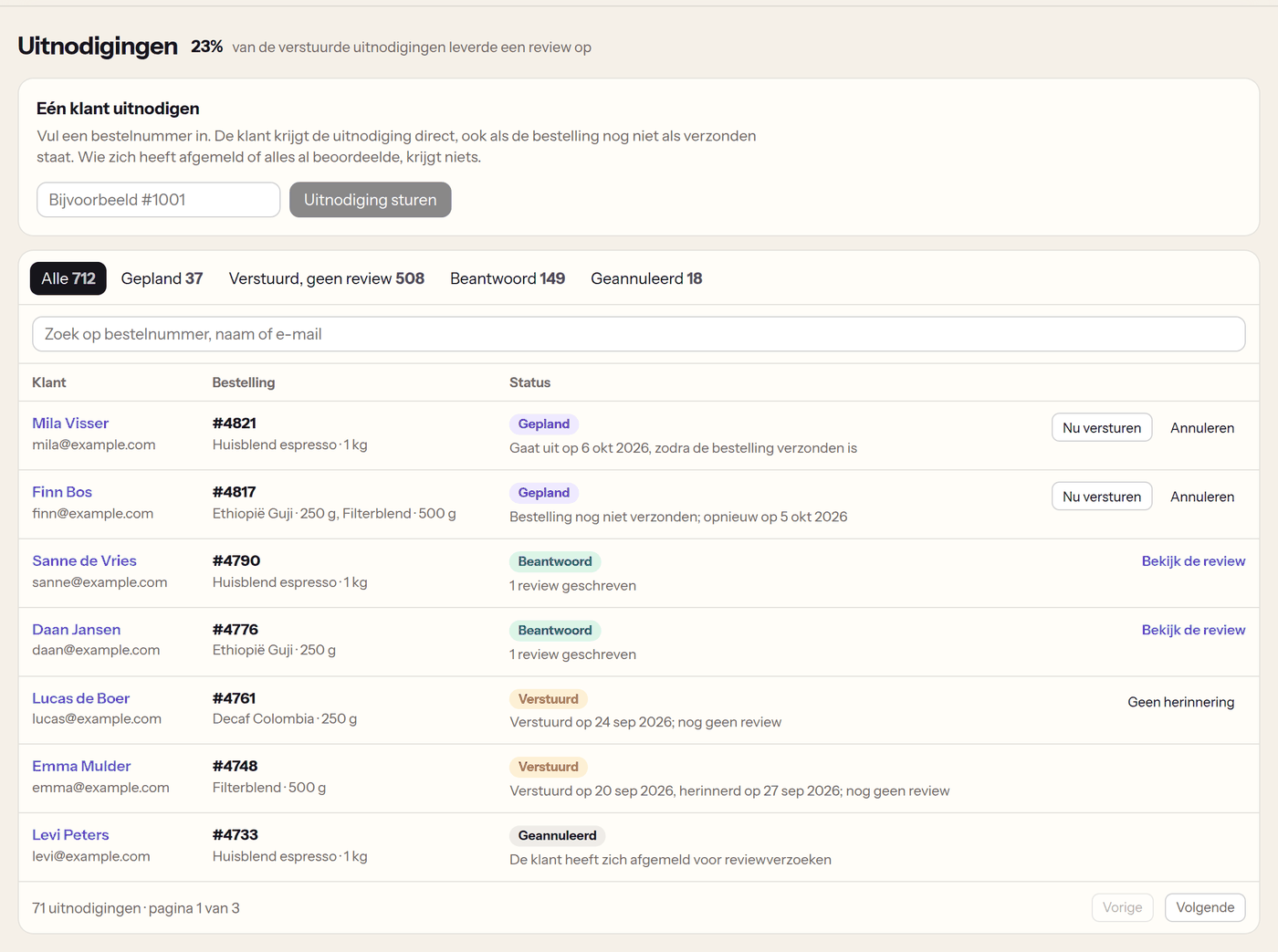
Every invitation is in a list: planned, sent, answered or cancelled. You send a planned invitation now, or cancel it. For a customer who asks, you make one with the order number.
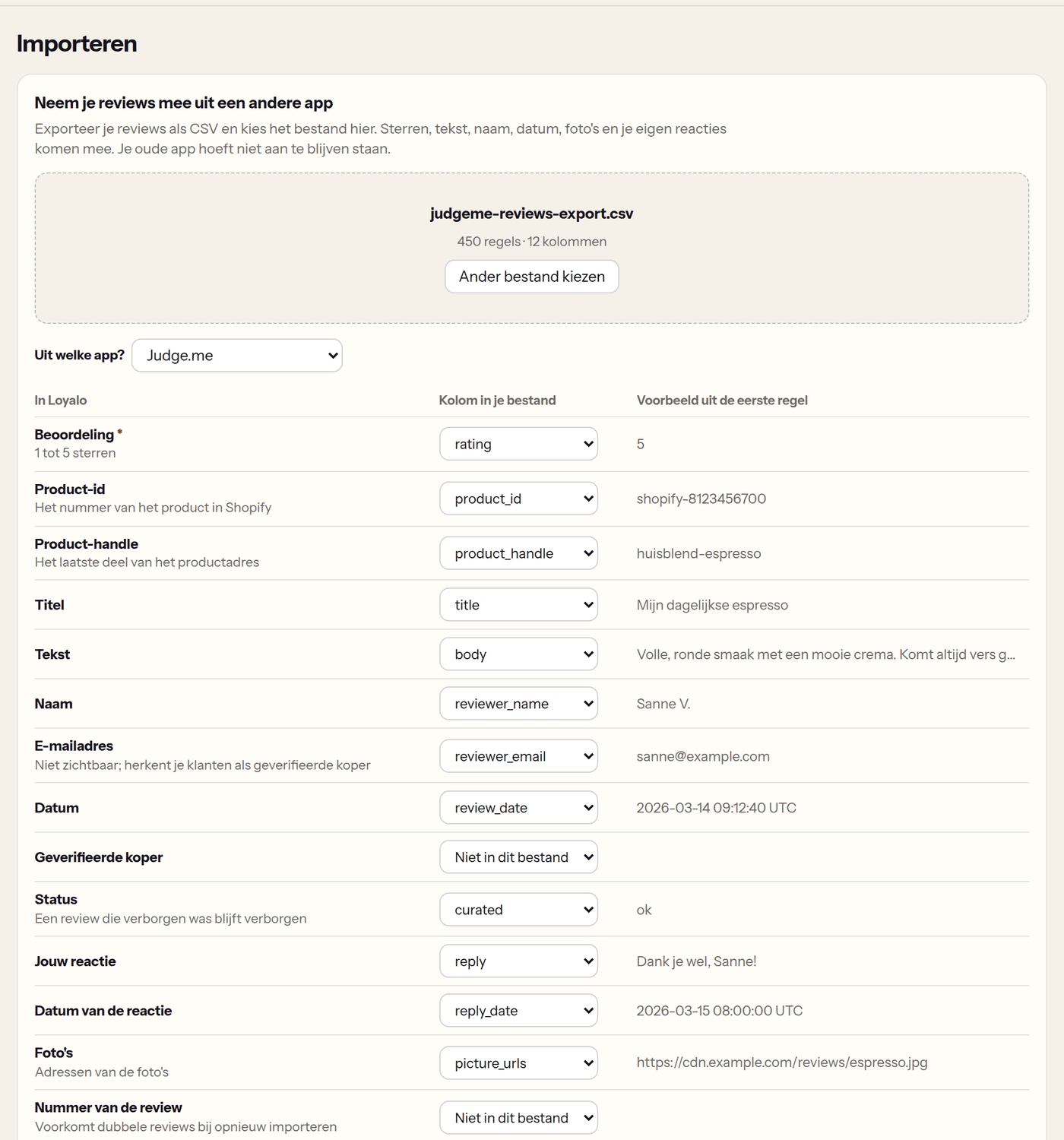
Export your reviews from your current app as CSV and choose the file. Loyalo recognises the export, lets you check the columns and shows how the first reviews come in. Stars, text, name, date, photos and your own replies come along.
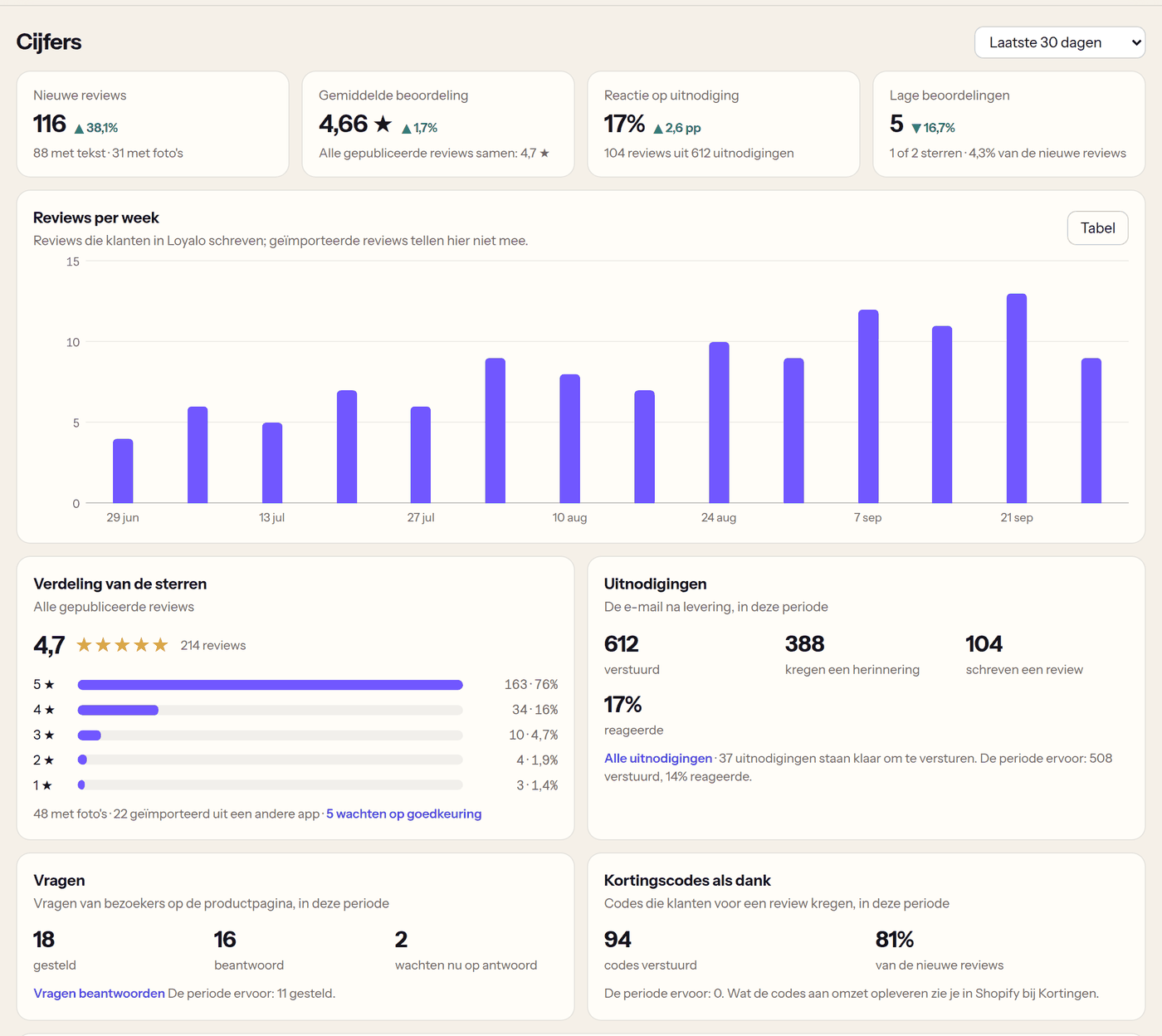
The Statistics page shows the new reviews, the average, the response to your invitations and the low ratings, next to the period before. Per product you see the number of reviews and the average.
You choose whether reviews appear on your product page right away or wait for you first. A few things are fixed.
| Situation | What happens |
|---|---|
| The review has a link or e-mail address in it | It always waits for your approval |
| The review has photos | It waits for you, when 'Check reviews with photos first' is on |
| A customer gives two stars or fewer | You get a message, so you can get in touch quickly; you set the limit yourself. The review is posted as usual |
| A customer gets a reward | For every review, a critical one too. The reviews say that customers get a reward |
| A visitor reports a review | The review stays. You see the report and decide |
| A customer asks for their data to be removed | Their reviews and questions are removed |
Only hide reviews that are offensive or not about the product. Leaving out critical reviews misleads your visitors.
Product reviews also work without subscriptions or points. If you do use those, they work together.
Give points for a review, with extra points for a photo. The form says how many.
Read moreA subscriber does not get an invitation after every delivery, and never for what they already reviewed.
Read moreThe invitation, the reminder, your reply and the discount code go to Klaviyo as events, if you prefer to send them from there.
Read moreNo price per order and no price per invitation. You can already try product reviews in the 14-day trial.
See all pricesBy asking customers after their order. Loyalo sends an invitation by e-mail after an order; the customer gives stars, writes a text and can add photos. You decide when the invitation goes out and whether a review waits for your approval first.
Yes. Product reviews will also be available on their own, for € 49 per month, or together with AI chat for € 99 per month. If you also use a Loyalo plan for subscriptions, they become an add-on of € 29 per month. Product reviews are for sale soon; you can already use them in the trial.
Yes, there will be a free starter. With it you publish up to 50 reviews (imported reviews count) and use the invitations, photos, questions and answers, and importing. The AI (the summary per product and the drafts for your reply), the thank-you discount code and the Google Shopping feed are not part of it. Collecting never stops: what comes in above 50 is kept and waits; with the add-on or the plan on its own you can still publish it. Until product reviews are for sale, you use everything without a limit.
Yes. Export them as CSV and import the file under Product reviews › Import. The export of Judge.me, Loox, Stamped, Yotpo, Okendo and Shopify Product Reviews is recognised; for another CSV you match the columns yourself. Stars, text, name, date, photos and your replies come along. Imported customers get no e-mail.
Only customers who bought the product from you: through the link in the invitation, or logged in to your webshop. They get the label 'Verified buyer'. A visitor without an order cannot write a review, but can ask a question.
A number of days after payment, seven by default, and only once the order has shipped. One reminder follows, if you want. You set how often a customer gets an invitation at most, by default once per 60 days.
Yes. You choose whether reviews are published right away or wait for your approval. You can also look only at reviews with photos first. A review with a link or e-mail address in it always waits.
Yes, as long as you reward every review and say so. Loyalo gives the points or the discount code for a published review, whatever the rating, up to the maximum per customer per month you set, and says under the reviews that customers get a reward. In the feed for Google, rewarded reviews are marked as such.
The review block puts the rating in your product page as structured data; with that Google can show stars with your search result. For Google Shopping you give Merchant Center the feed that Loyalo keeps up to date for you. Whether and when Google shows stars is up to Google.
Two things. It writes a short summary per product of what customers say, from five reviews with text, and it writes a draft for your reply to a review or your answer to a question. A draft is never posted by itself: you check it. In an answer to a question it puts what it does not know between square brackets; you have to fill those in before you can post the answer. You can switch the summary off.
With Loyalo. The photo is made smaller in the customer's browser and shown on your product page from your own domain. You need no extra app or storage for it. You can hide one photo without hiding the review.
The review block, the form and the e-mails come in Dutch, English and German. The dashboard is available in Dutch and English.
The blocks are app blocks for Online Store 2.0 themes: you place them in the theme editor where you want them. You set the star colour per block; the button colour in the Loyalo reviews block.
Not yet. A review has text, stars and up to four photos.
Read more Setting up product reviewsImporting reviewsPricingCustomer LoyaltyAI chat
In half an hour we show you how Loyalo works in your shop, or we send you an install link right away. The trial runs for 14 days and needs no credit card.
Try product reviews for 14 days in your own shop. Switch collecting on, import your existing reviews and place the block in your theme.