Order tags continue
Loyalo puts the same tags on orders: subscription, subscription_<number> and SepaDirectDebit. Your Shopify Flows and your warehouse notice no difference.
Coming from another subscription app? You copy your plans, import the running subscriptions from a CSV file and switch the collection over. Customers keep their product, their price and their next delivery date.
A migration goes wrong on details: a variant that no longer exists, a mandate that expired, a date in the past. That is why Loyalo checks every row before anything happens.
Shopify gives a new subscription to the app of the plan the customer chooses. So you first copy the plans of your old app: the same names, frequencies and discounts, on the same products.
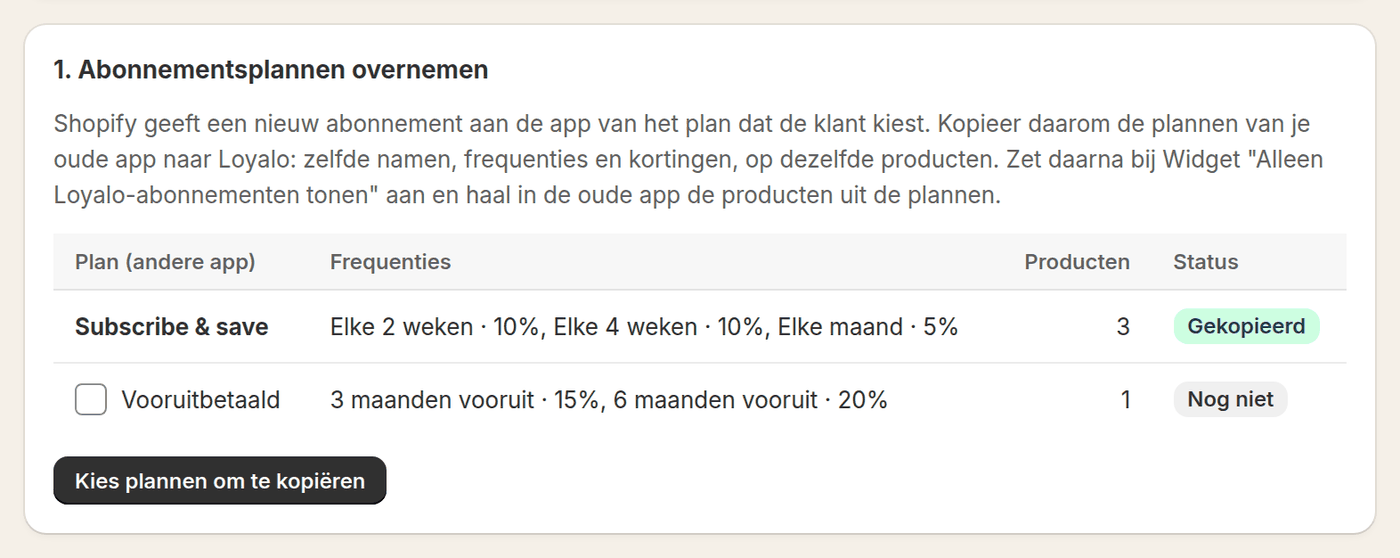
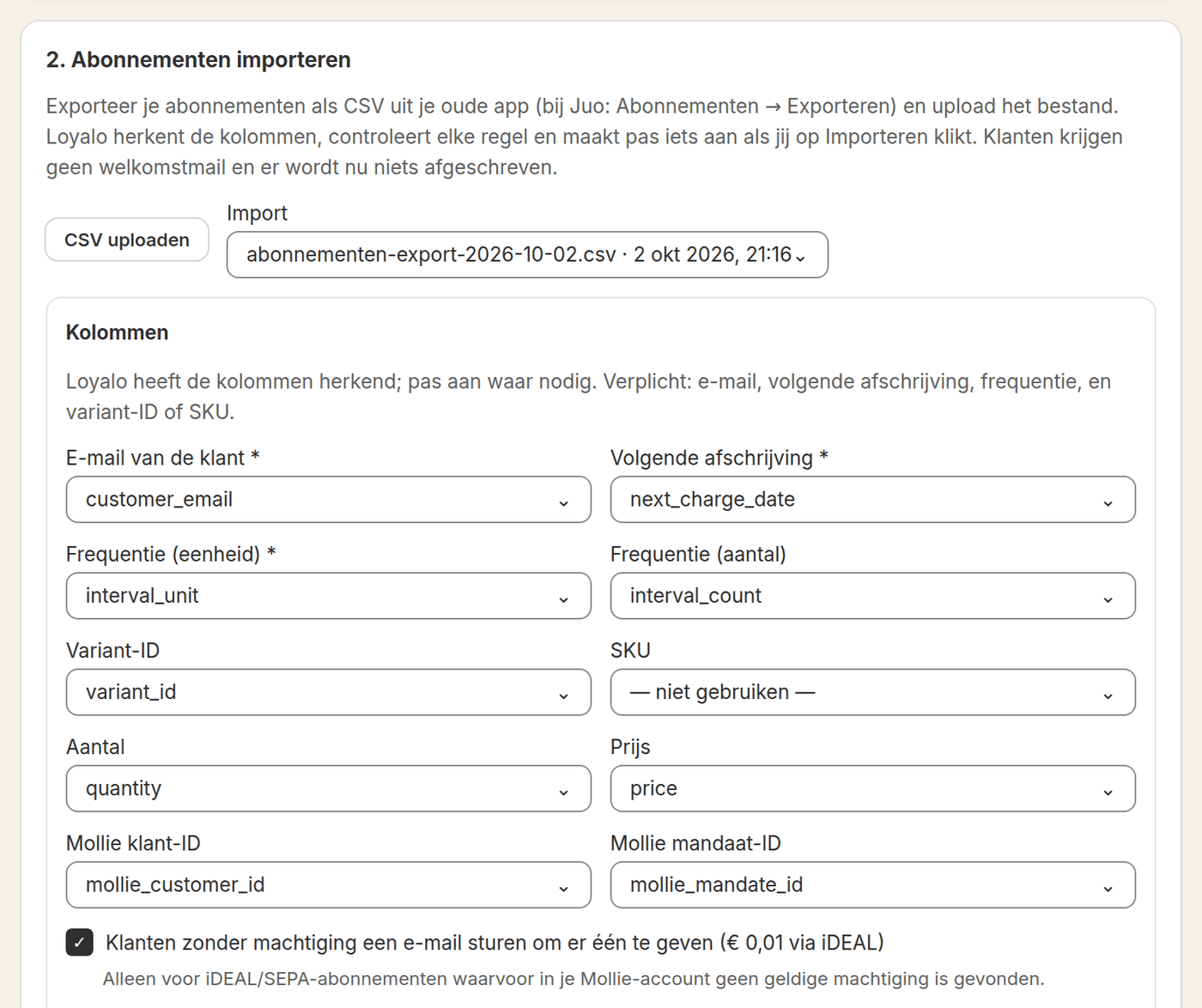
You export the running subscriptions as CSV and upload the file. Loyalo recognises the columns; where it is wrong, you pick the right column yourself. Customers without a valid iDEAL mandate can be emailed right away.
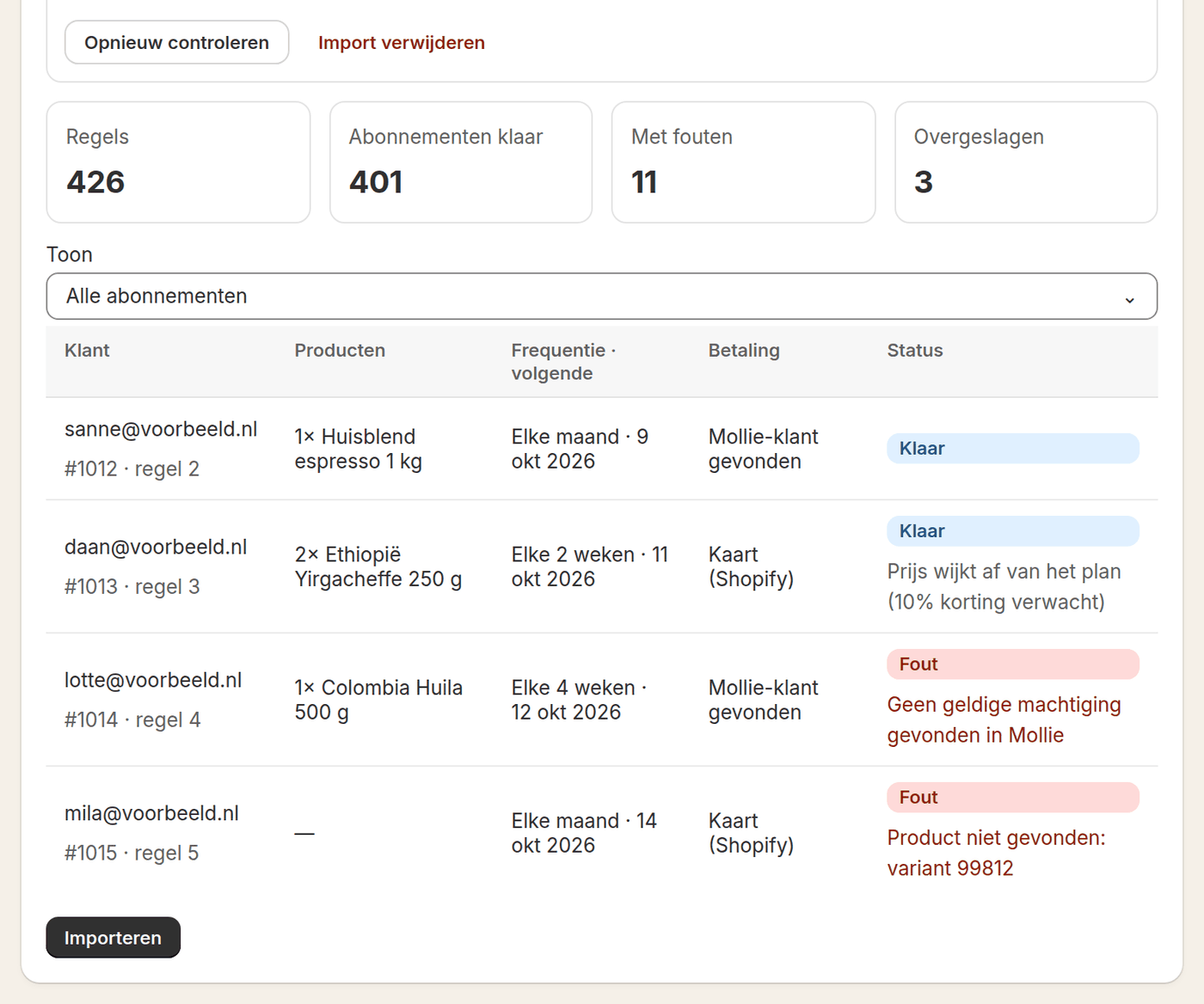
Before you import, you see how many subscriptions are ready, how many rows have an error and which were skipped. Every row shows the reason, so you can fix it in the file or in Shopify.
The import itself collects nothing. You only switch over once you have checked that everything is right and the old app has stopped first.
Spot-check under Subscriptions whether the product, the price and the next date match your old app.
Stop the collections there or cancel the subscriptions without customer emails, before the next collection date.
From that moment Loyalo collects every delivery on the date from your file. For iDEAL subscriptions you connect Mollie first.
Take the products out of the old app's plans, or remove the app once everything runs well.
The names of the columns do not matter: you map them when uploading. This is what Loyalo needs per subscription.
| Column | Required | What for |
|---|---|---|
| Customer email | Yes | To link the subscription to the customer in Shopify |
| Next collection | Yes | The date of the next delivery |
| Frequency (unit and count) | Yes | For example every month or every 2 weeks |
| Variant ID or SKU | One of the two | To find the product in your store |
| Quantity and price | No | Without a price the product's regular price applies |
| Mollie customer ID and mandate ID | No | To take over an existing iDEAL mandate |
A migration is your project, not your customers'. Their subscription continues the way it was.
Loyalo puts the same tags on orders: subscription, subscription_<number> and SepaDirectDebit. Your Shopify Flows and your warehouse notice no difference.
Loyalo takes over the old subscription number when it is free. Support searches by the number the customer knows.
Colleagues appear as soon as they open the app. You give them the role admin, staff or viewer.
Do you run several stores, or are you an agency? Every store has its own data, and you switch within one account.
Yes. On the Migrate page you copy the plans of your old app and import the running subscriptions from a CSV file. Before anything happens you see per row what will happen. Customers do not have to order again.
From any app that lets you export the running subscriptions as CSV. Loyalo recognises the usual column names, and what it does not recognise, you map yourself.
No. The import sends no welcome email. The only email you can have sent is to customers with an iDEAL subscription without a valid mandate, asking them to give one.
By keeping to the order: the import collects nothing. You first stop the collections in the old app and then switch on 'Loyalo charges subscriptions' in Loyalo. Loyalo itself never collects a delivery twice.
It is not imported. The row shows the reason, for example a variant that does not exist. You fix it in the file or in Shopify and have the import checked again.
When the mandates are in your own Mollie account, Loyalo takes them over through the customer ID and the mandate ID in your file. When Loyalo finds no valid mandate, the customer can give one with a payment of € 0.01.
Yes. Uploading and checking changes nothing in your store. Nothing is created until you click Import, and you can delete an uploaded file again.
Yes. We think along about the order of steps and the file, and watch the first collections with you.
Read on: Importing subscriptionsMigrating from Recharge or AppstleBlog: migrating without losing customers
In half an hour we show you how Loyalo works in your shop, or we send you an install link right away. The trial runs for 14 days and needs no credit card.
In a demo we go through the three steps with an example file and discuss what is in your export.