Product page
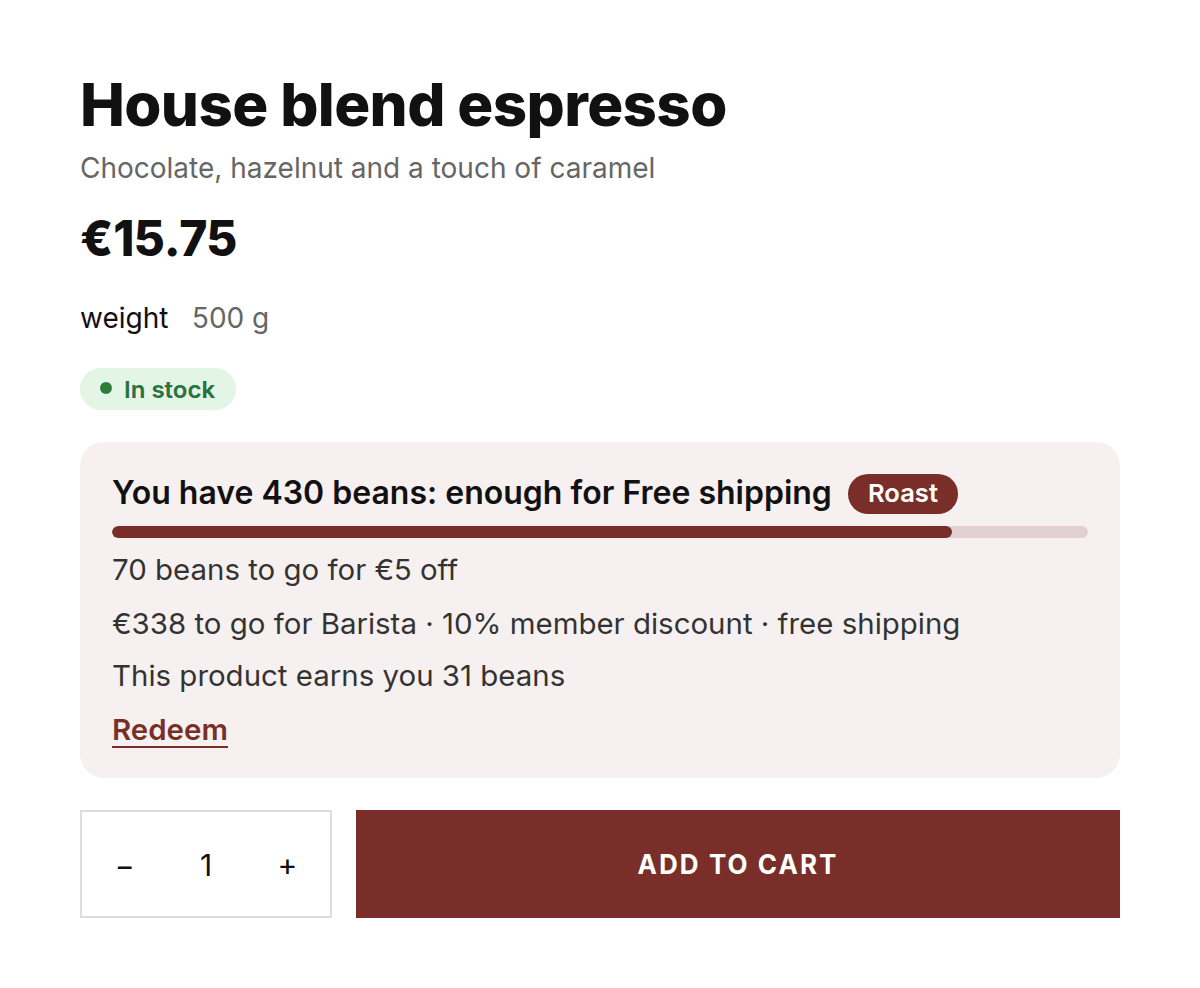
The Member benefit block with balance, progress and what the product earns. Below it the member price for customers with a tier.
Customers earn points with every order, redeem them for a reward and move up to a higher tier. The programme lives in your shop, the customer account and at the till, and works together with your subscriptions.
A rewards programme only works when customers come across it at the moment they buy. That is why the balance is not only in an account, but also on the product page and in the cart. The customer sees what they have, what the next reward is and what this order earns.
The Member benefit block tells one story per customer: the balance, the nearest reward or the next tier, and what this product earns in points. Someone who is not logged in sees what saving up brings.
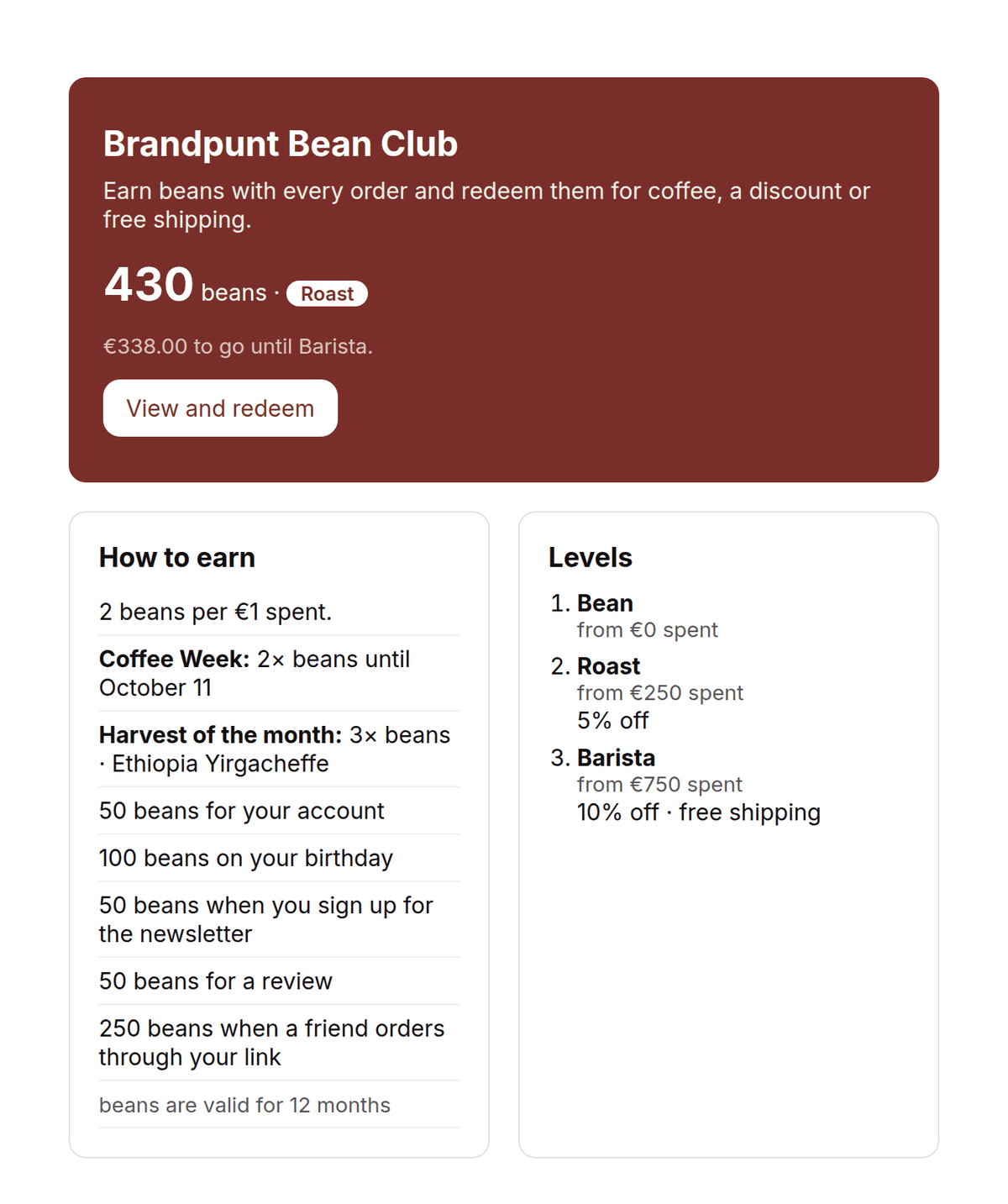
Put the Rewards page block on a page in your theme. It shows how customers earn, which levels there are and which rewards are waiting. A logged-in customer sees their balance, their tier and how far the next one is.
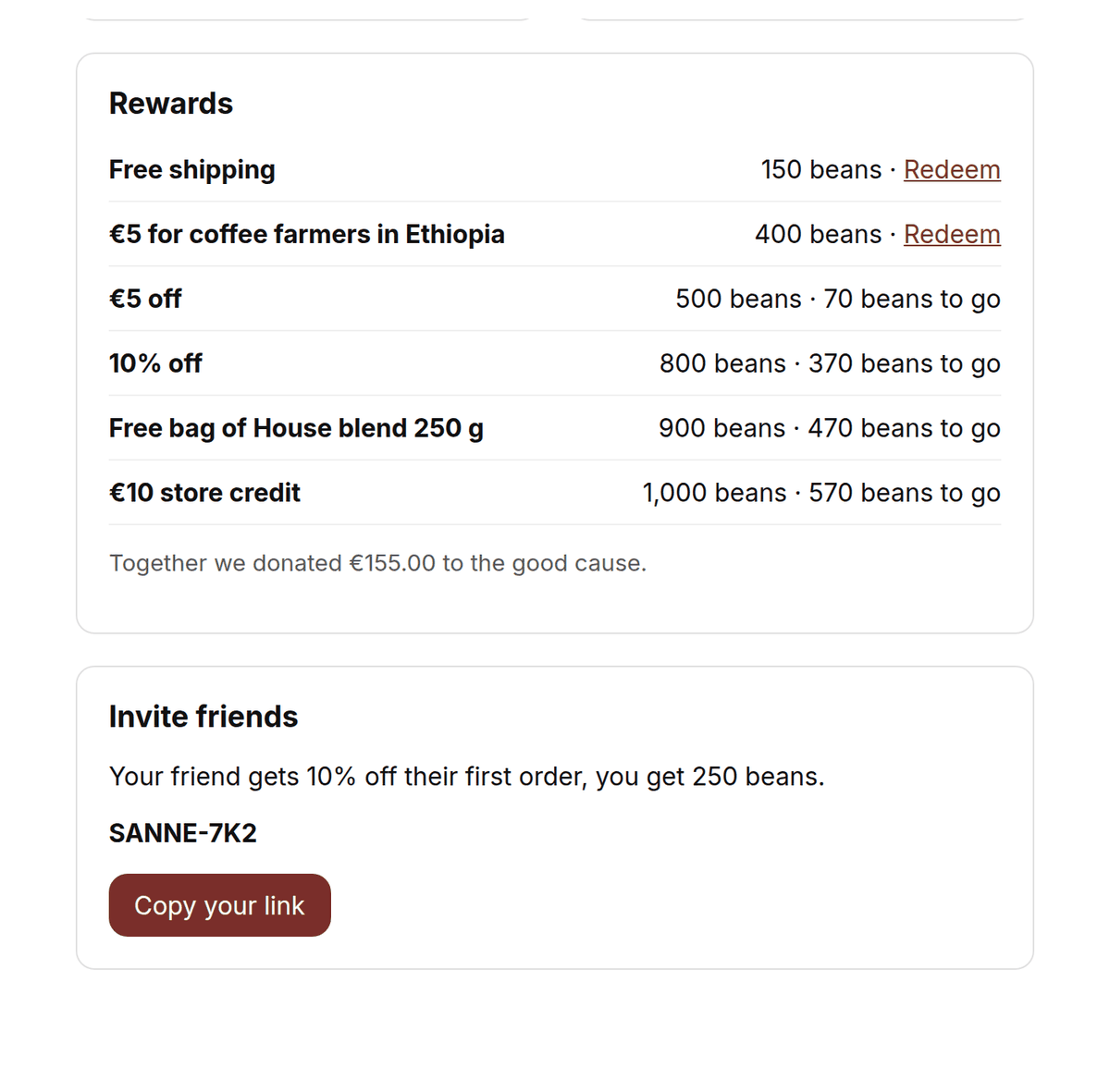
The customer picks a reward and gets a personal discount code that is valid once. Subscribers can also have the reward applied to their next delivery. With a link of their own, customers invite friends.
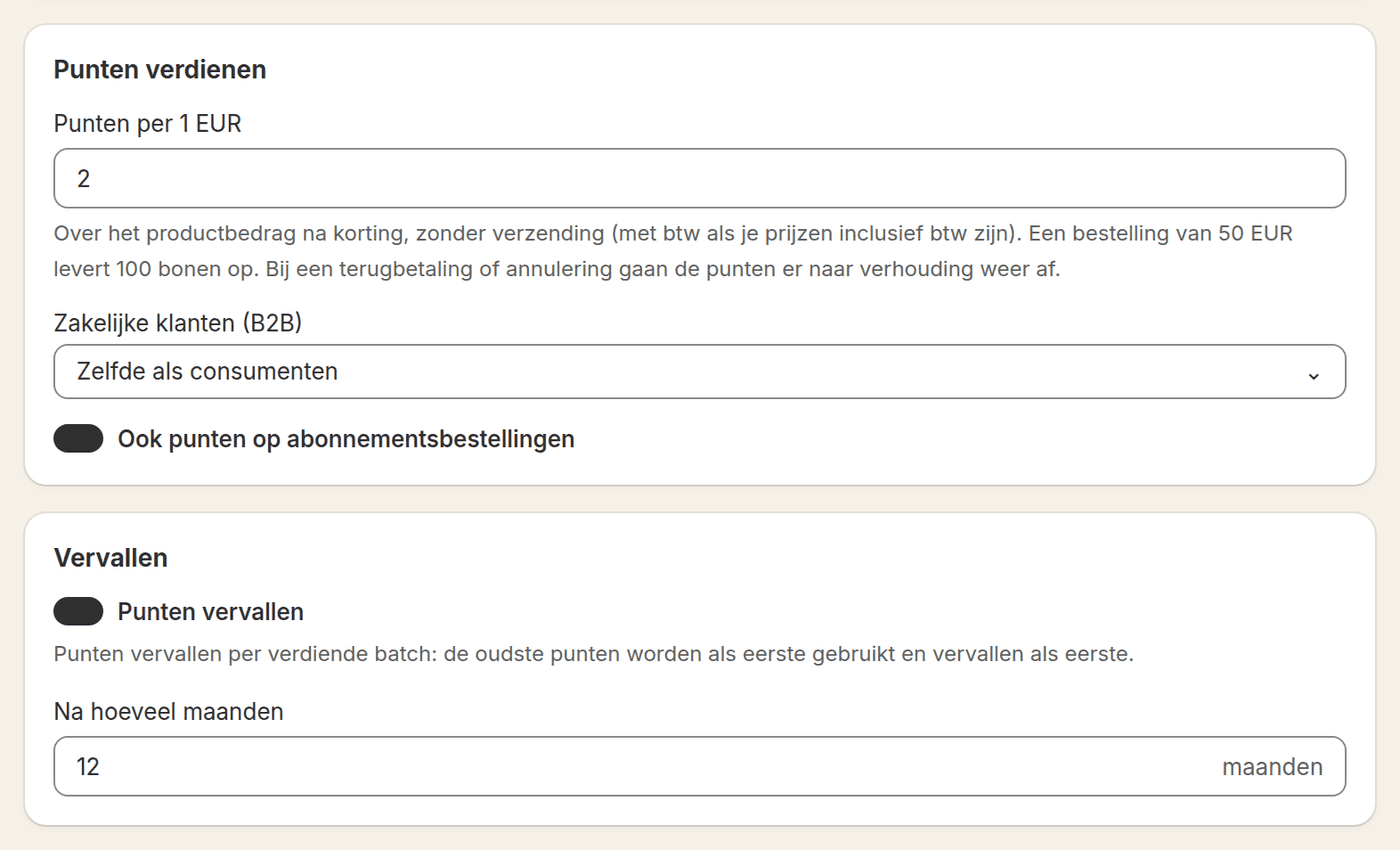
Every paid order earns points, and so does every delivery of a subscription. On top of that come bonus points for an account, a birthday or a review.
Enough points? The customer gets an email and picks a reward: a discount, free shipping, a free product, store credit or a donation.
Whoever orders more reaches a higher tier with a fixed discount, free shipping or faster earning. The customer sees how far the next tier is.
Every customer has a link of their own. When a friend orders with it for the first time, the friend gets a discount and the customer gets points.
You set everything up without code. Every rule can be aimed at consumers, business customers or both.
You choose how many points a euro earns and what your points are called. Loyalo counts the product amount after discounts, without shipping costs. A refund or cancellation takes the points off again in proportion.
A discount in percent or euros, free shipping, a free product, store credit or a donation to a charity. Per reward you set how many points it costs and who it is for.
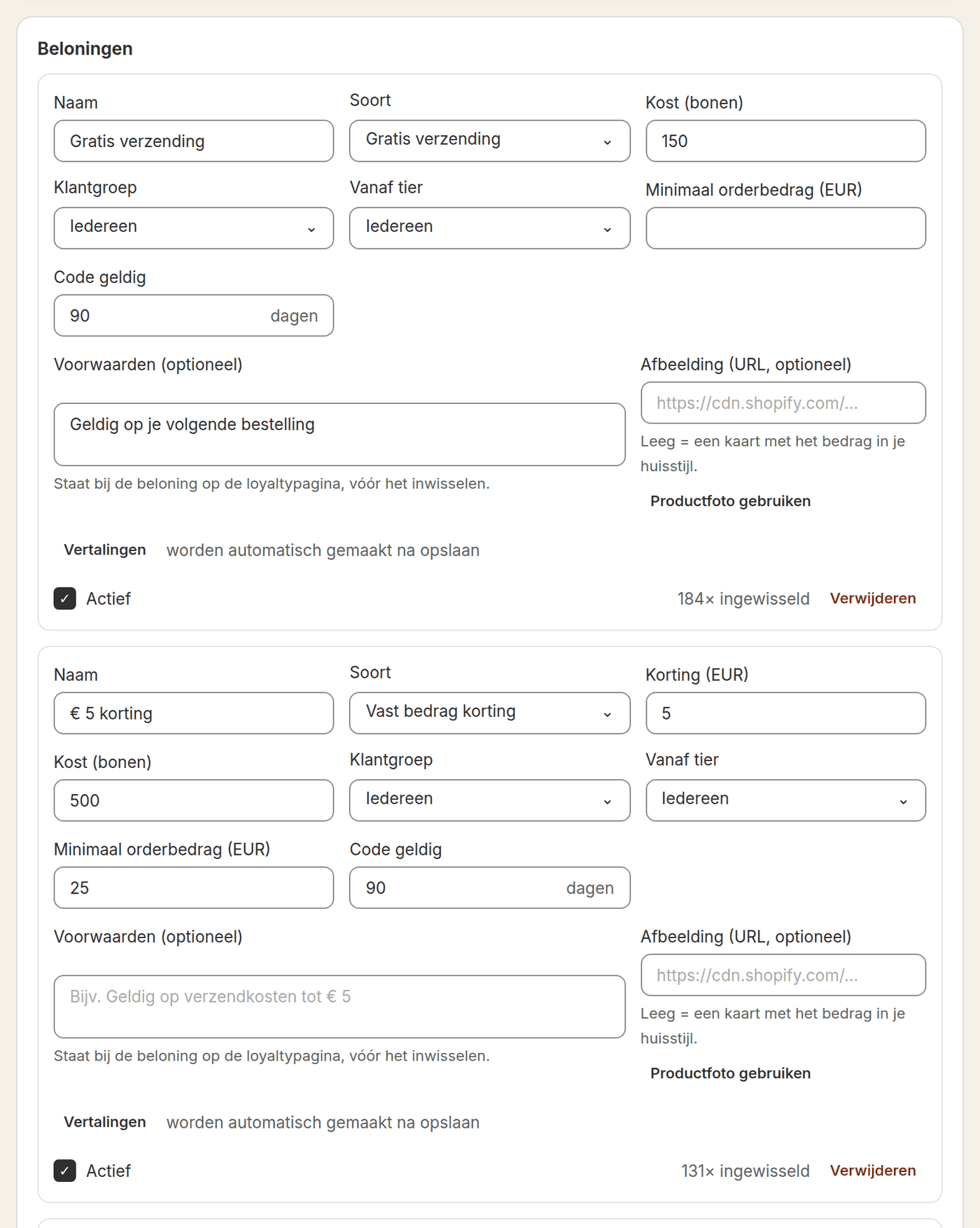
Create levels on amount spent, number of orders, points or number of items. You choose whether everything counts or only the last months, so customers have to keep their tier.
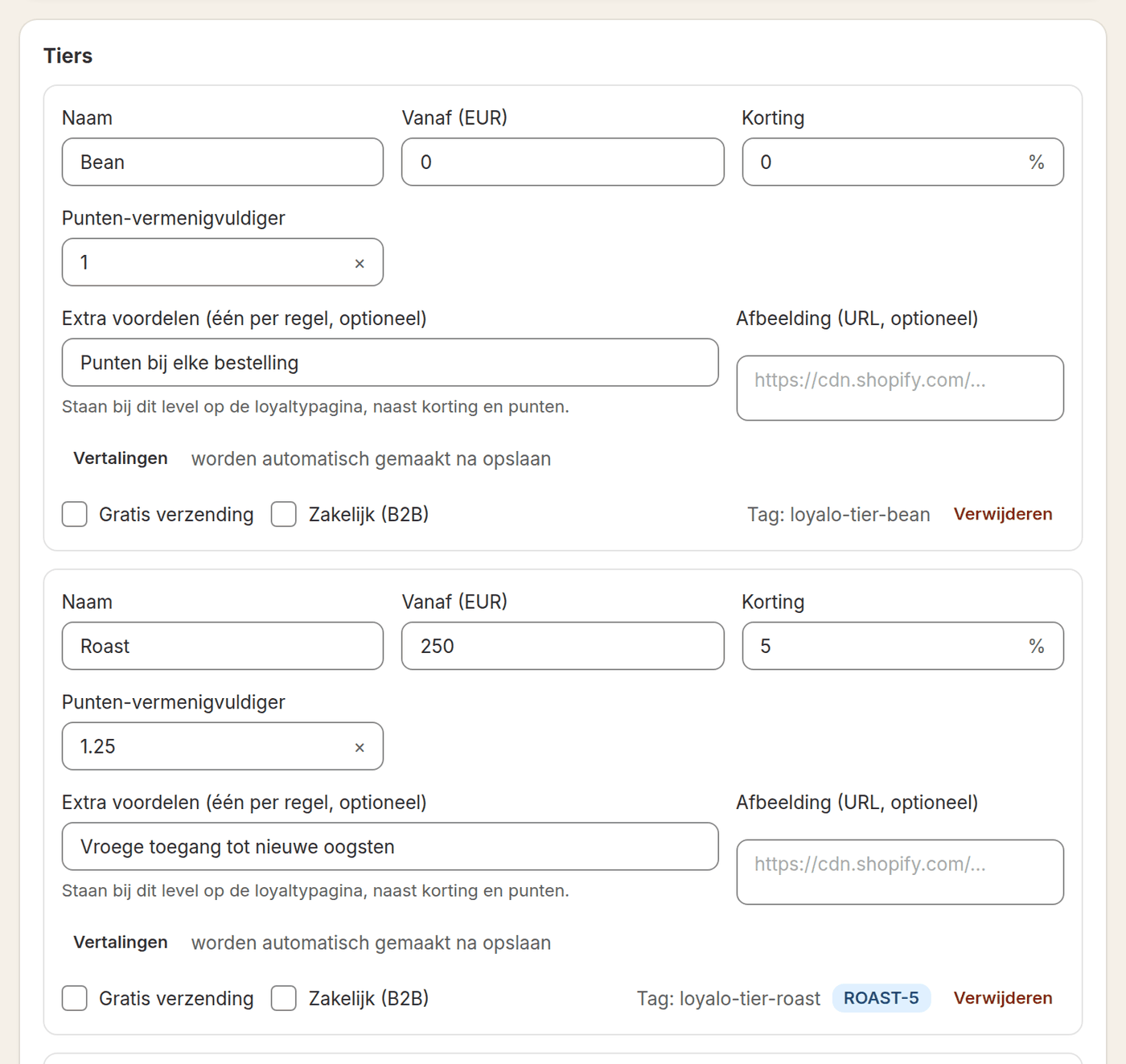
Give points for more than orders, and step it up for a while. A campaign gives two or three times the points in a period, a special does that for products you choose.
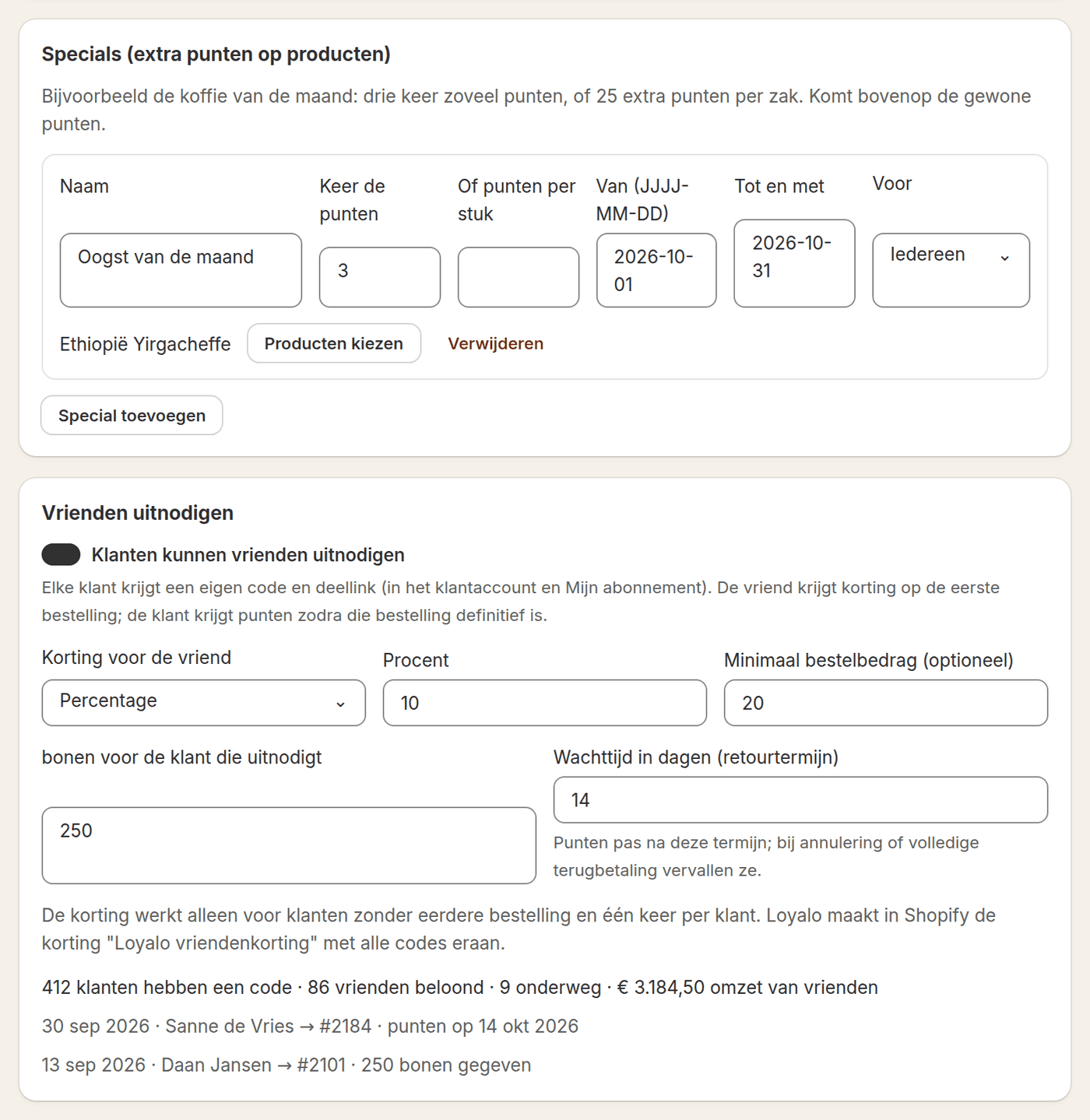
The balance is the same everywhere, because it all comes from one programme.
The Member benefit block with balance, progress and what the product earns. Below it the member price for customers with a tier.
The points of the order in the cart, and on every page a button with balance, tier, rewards and codes. The tier discount is applied automatically.
A page of its own in the Shopify customer account: balance, activity, codes, rewards, ways to earn and the levels.
On Shopify Plus the customer redeems a reward in the checkout. The thank-you page shows what the order earned and the customer's own share link.
At the till your staff see the customer's points and tier and put a reward straight on the sale. Purchases in the shop earn points as well.
Automatic emails for an available reward, a new tier, points that are about to expire and a monthly points summary, in your house style.
With a separate loyalty app you have to connect points and subscriptions yourself. In Loyalo it is one system, with one customer account.
Combining loyalty and subscriptionsFour ways to set up a programme. You build each example with the settings above.
Points are called 'beans'. Three times the points on the coffee of the month, and a free bag at 900 beans. Subscribers earn on every delivery.
Read moreTiers on the number of orders in the last twelve months, so whoever keeps up the course keeps the discount. Bonus points for a review.
Read morePoints on the birthday and for a follow on Instagram. A free mini as a reward, only to be redeemed from the second tier.
Read moreTiers on the number of items, because volume says more here than amount. Free shipping as the first reward, or a donation to the shelter.
Read moreBusiness customers buy differently from consumers. That is why you can set every rule per customer group.
More about B2BThe programme writes to Shopify and passes events on, so you can build on it in other tools.
Events for points earned, a reward that is available or redeemed, a new tier and points about to expire. Balance and tier are profile fields, ready for your segments.
Read moreGive points for a review through Judge.me or Kiyoh, with a maximum per customer per month. With Judge.me you can give extra points for a photo.
Read moreTier, customer group and points are tags and metafields on the customer in Shopify. Use them in Flow, in your theme or in your own discounts.
Read moreRead balances, add or take off points and receive a webhook on every change in points. Useful for a till, ERP or an app of your own.
Read moreAI advice looks at your figures and proposes concrete changes: a points rate, tiers, rewards or a campaign. Nothing changes until you apply the proposal. AI texts writes the short lines customers see in the shop, in your tone.
If you sell subscriptions as well, it helps when points and subscriptions know about each other.
| Topic | Loyalo | A separate loyalty app next to a subscription app |
|---|---|---|
| Points on subscription deliveries | Every delivery counts, with one switch | Depends on the link between two apps |
| A reward on a subscription | Can be applied to the next delivery | Often only a code for a one-off order |
| What the customer sees | One account with subscription, points and rewards | Two environments side by side |
| Costs | Fixed price, no fee per order or per member | Often a price per order or per member, per app |
| Customer data | One customer view and one set of Klaviyo events | Two datasets you connect yourself |
| Management | One dashboard and one point of contact | Two dashboards and two support desks |
A comparison in broad terms. What a separate loyalty app can do differs per app.
The 14-day trial includes Customer Loyalty. After that you switch the add-on on on the plan page.
Set points, rewards and tiers yourself, or let AI advice make a proposal based on your orders.
Place the member benefit on the product page, create a rewards page and switch on the rewards button. Name and colours come from Brand.
Follow outstanding points, redemptions and revenue from members in Analytics, and plan your first campaign.
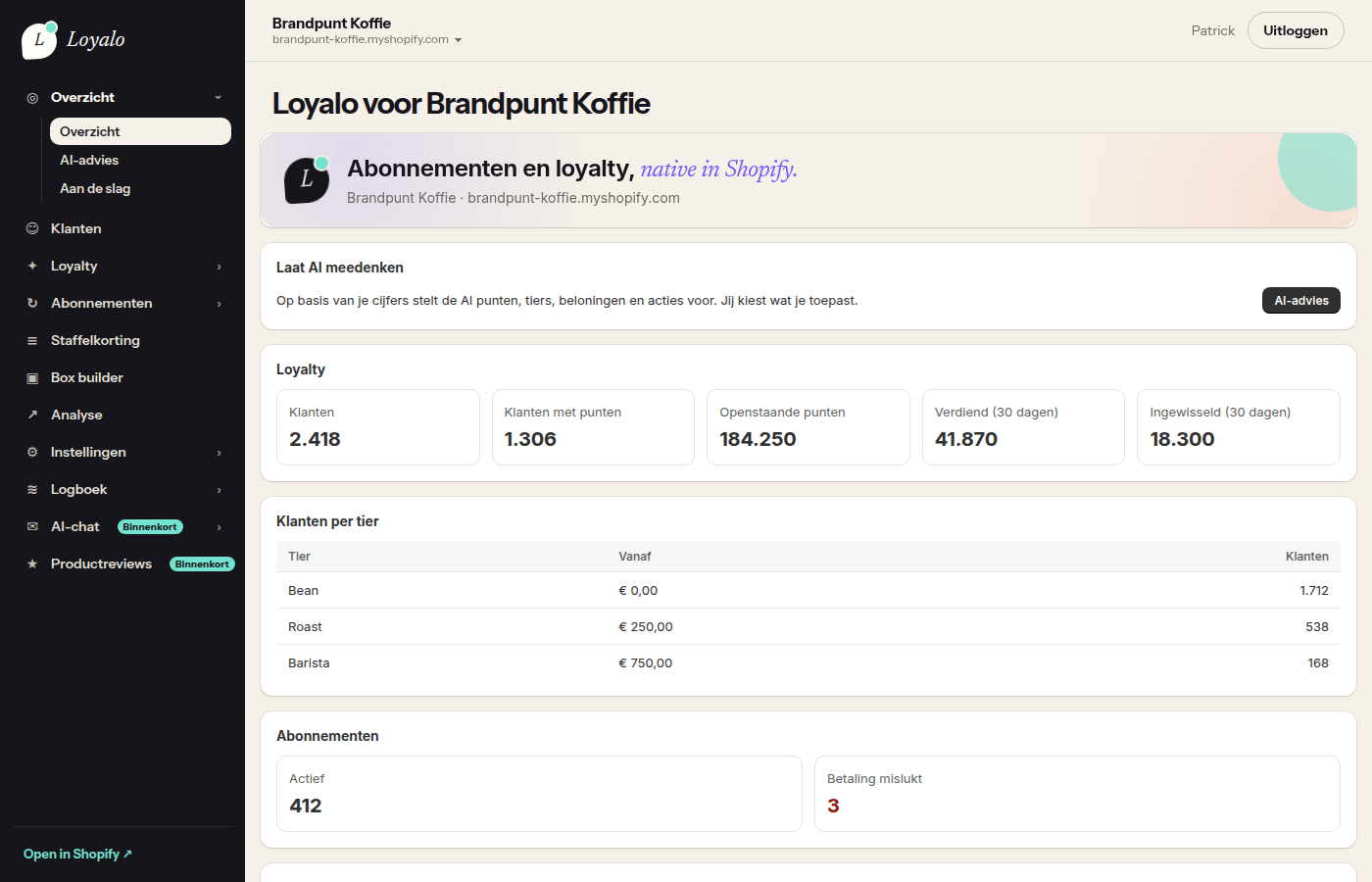
You see whether the programme works: how many members have points, what was earned, redeemed and expired, and which revenue comes with it. That keeps it something you can steer on.
Customer Loyalty is an add-on of € 199 per month, or € 1,990 per year, on top of a plan from € 99 per month.
See all pricesWith every paid order, and with subscription orders too when you switch that on. You can also give points for an account, a birthday, the newsletter, a review, a follow on social media and referring a friend.
The customer picks a reward in the customer account, on the rewards page or through the rewards button in the shop. The reward becomes a personal Shopify discount for the next order. Subscribers can also have a reward applied to their next delivery. In a physical shop it works at the till through Shopify POS.
Yes. The programme works for all your customers, with or without a subscription. If you sell subscriptions as well, subscribers earn on every delivery and everything is in the same account.
€ 199 per month, or € 1,990 per year, on top of a plan. The smallest plan is Growth (€ 99 per month). There is no fee per order and no price per member. You switch the add-on on or off on the plan page.
No. Points, rewards, tiers, the blocks in your theme, the page in the customer account and Shopify POS work on every Shopify plan. Only redeeming a reward in the checkout itself needs Shopify Plus.
You decide: after a number of months (12 by default) or never. The oldest points are used first. Customers get an email beforehand that their points are about to expire.
You create levels with a threshold on amount spent, number of orders, points or number of items. You choose whether everything counts or only the last months, so a tier has to be kept. Per tier you set a discount, free shipping and a multiplier for points. When a customer drops below the threshold, they keep the tier for a grace period and get an email.
Yes. With Shopify POS your staff see the customer's points and tier at the till, and the customer redeems a reward there. No card is needed: the programme is tied to the customer account, so purchases in the shop and online add up.
Yes. You add balances from another programme per customer in the dashboard, or all at once through the API. We can help with that during the implementation.
A refund takes the points off again. The friend discount only works for new customers and once per customer, and the referrer only gets points after the returns period. Points for reviews have a maximum per month. Every reward code is personal and can be used once.
The blocks in the shop, the customer account, the till and the emails are available in Dutch, English and German. Names of rewards and tiers are translated automatically after saving, and your points can have a name of their own per language.
Yes. Business customers can get their own points rate, or no points, and their own tiers, for example on volume instead of amount. Rewards and bonus points can be switched on or off per customer group.
Further reading: Help center: setting up points and bonus pointsCombining loyalty and subscriptionsBlog: linking loyalty points to subscriptionsBlog: setting up a loyalty programmeIntegrationsPricing
In half an hour we show you how Loyalo works in your shop, or we send you an install link right away. The trial runs for 14 days and needs no credit card.
One fixed price, no fee per order or per member. In your own house style, in your own Shopify shop.