One-time extras
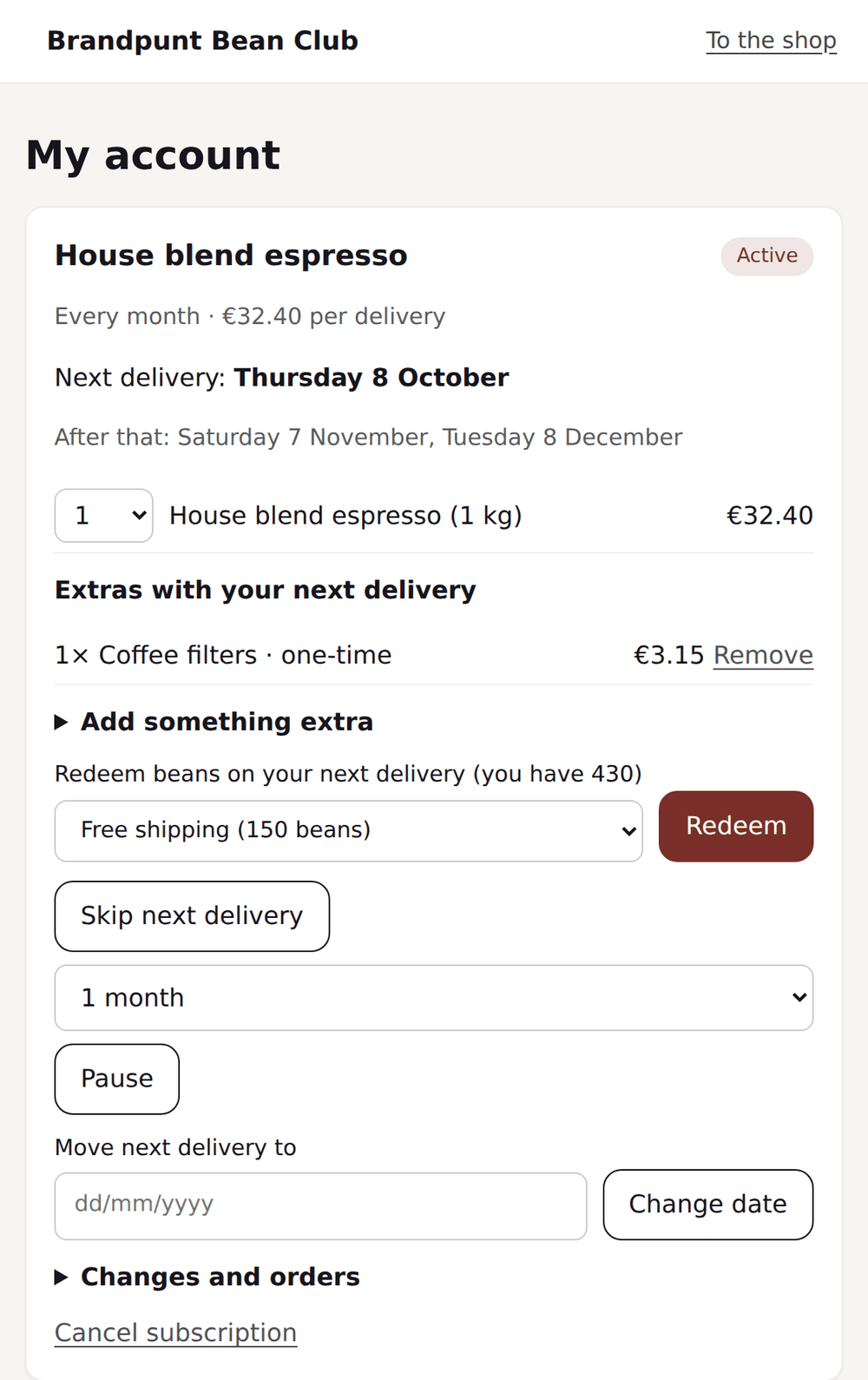
Customers add a single product to the next delivery in the portal. It ships on the same order and is charged with that delivery.
Loyalo puts subscriptions on your products, shows the choice in your store and collects every delivery, by card or by iDEAL. Orders, customers and stock stay in Shopify. Your customer handles the rest in the portal.
The customer chooses on the product page, pays the way they are used to and manages the subscription from there. No second checkout and no second account.
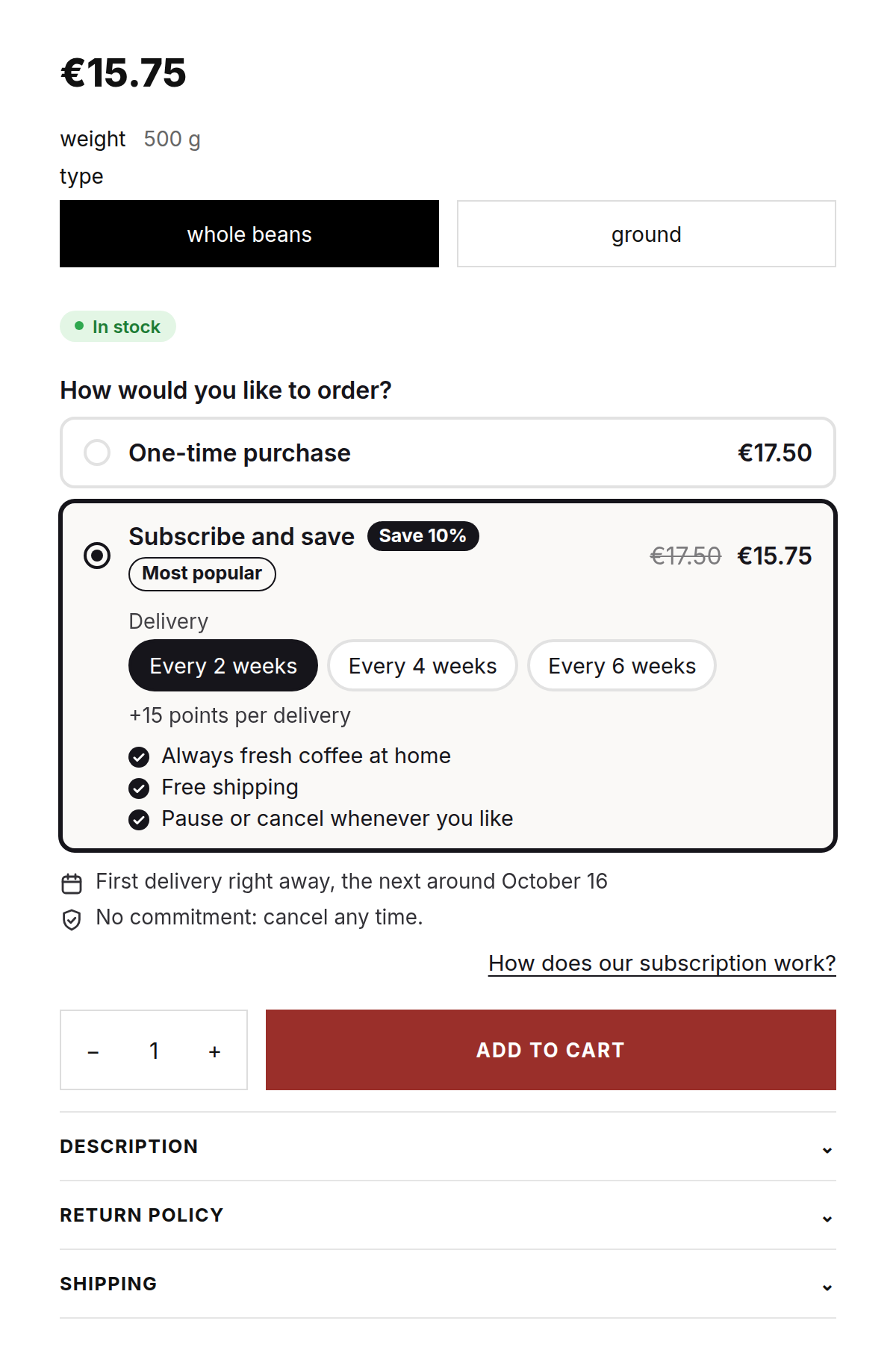
The widget shows on every product that is in a plan and stays away on the rest. Per frequency the customer sees the price, the discount and when the next delivery comes.
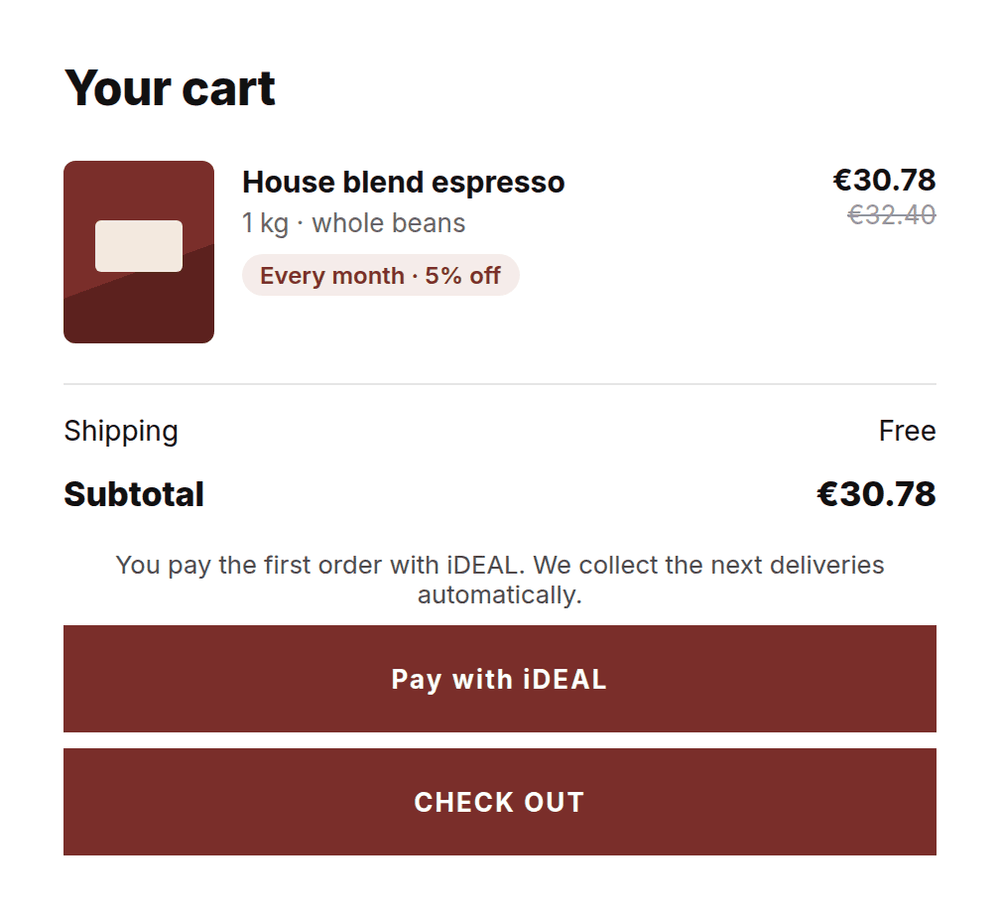
By card the customer pays in the regular Shopify checkout. For iDEAL there is a separate button in the cart: the first payment records the mandate, and Loyalo collects every delivery after that.
Pause, skip a delivery, move the date, pick another product or add something extra: the customer does it in the portal, without a password and without a ticket.
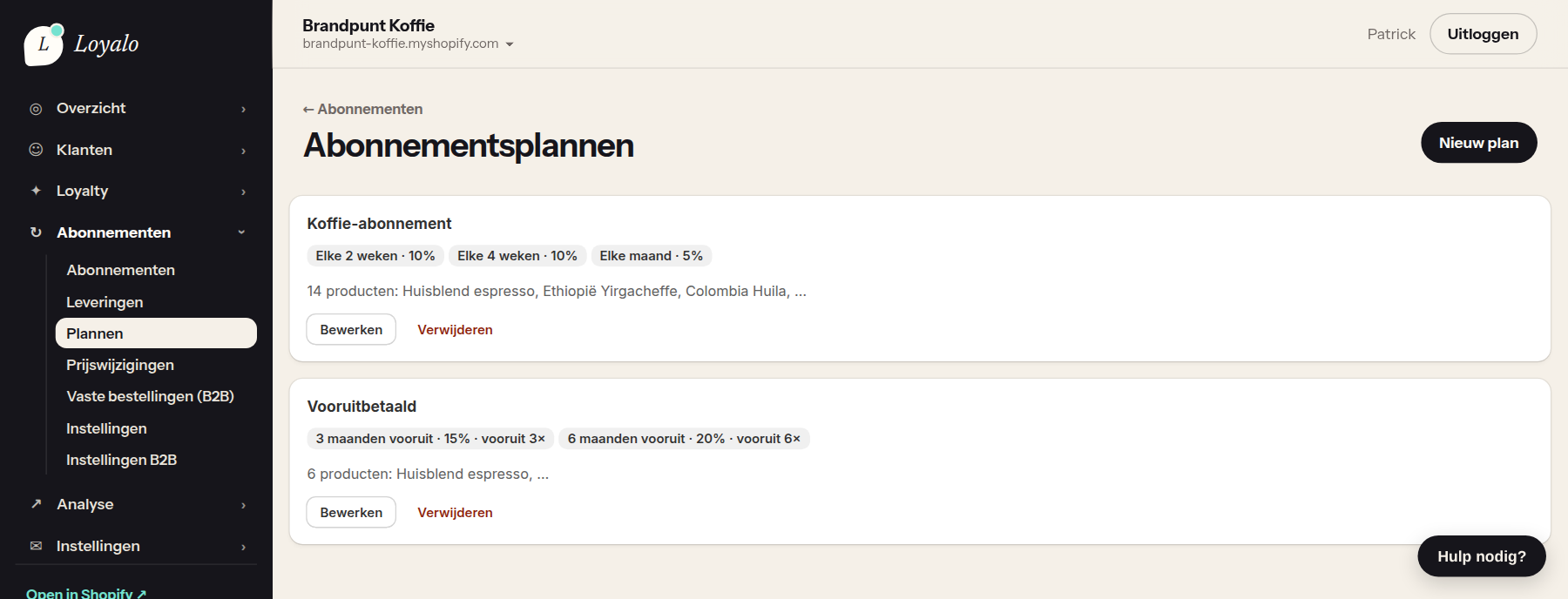
Choose the frequencies, the discount per frequency and the products or variants that take part. Loyalo stores the plan as a selling plan in Shopify.
Add the block in the theme editor. The subscription choice shows on every product that is in a plan.
By card in the Shopify checkout or by iDEAL through your own Mollie account. The order is a regular order in Shopify.
On the day of the next delivery Loyalo collects the payment and the new order is ready. The customer gets a reminder beforehand.
The dashboard opens in your Shopify admin. Whatever a customer can do in the portal, you can do for them here.
A plan groups the frequencies you offer, each with its own discount. Per frequency you also choose whether the customer pays per delivery or for a number of deliveries up front.
Per subscriber the product, the frequency, the next delivery and the amount. Subscriptions with a failed payment are at the top, with the next attempt next to them.
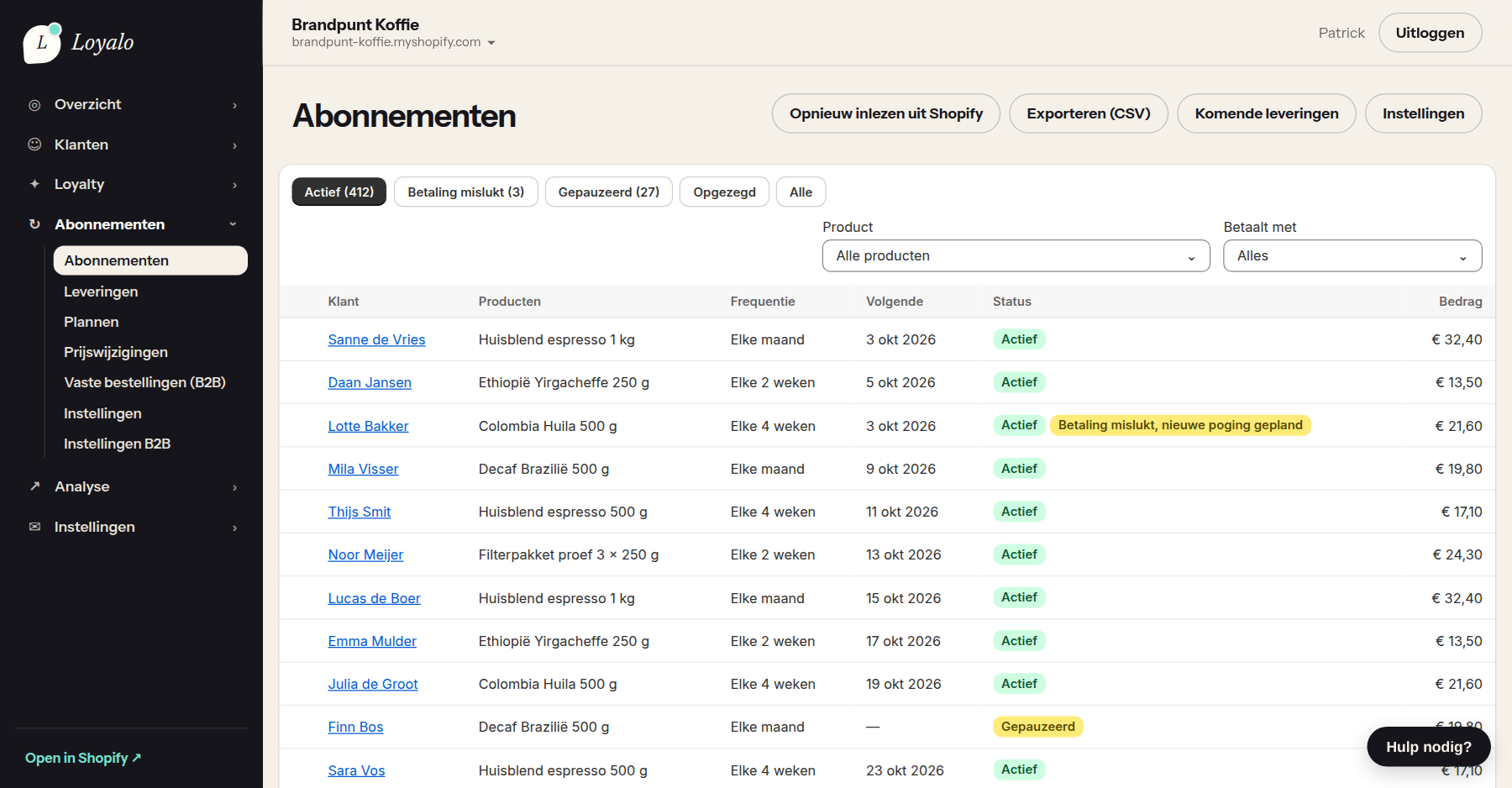
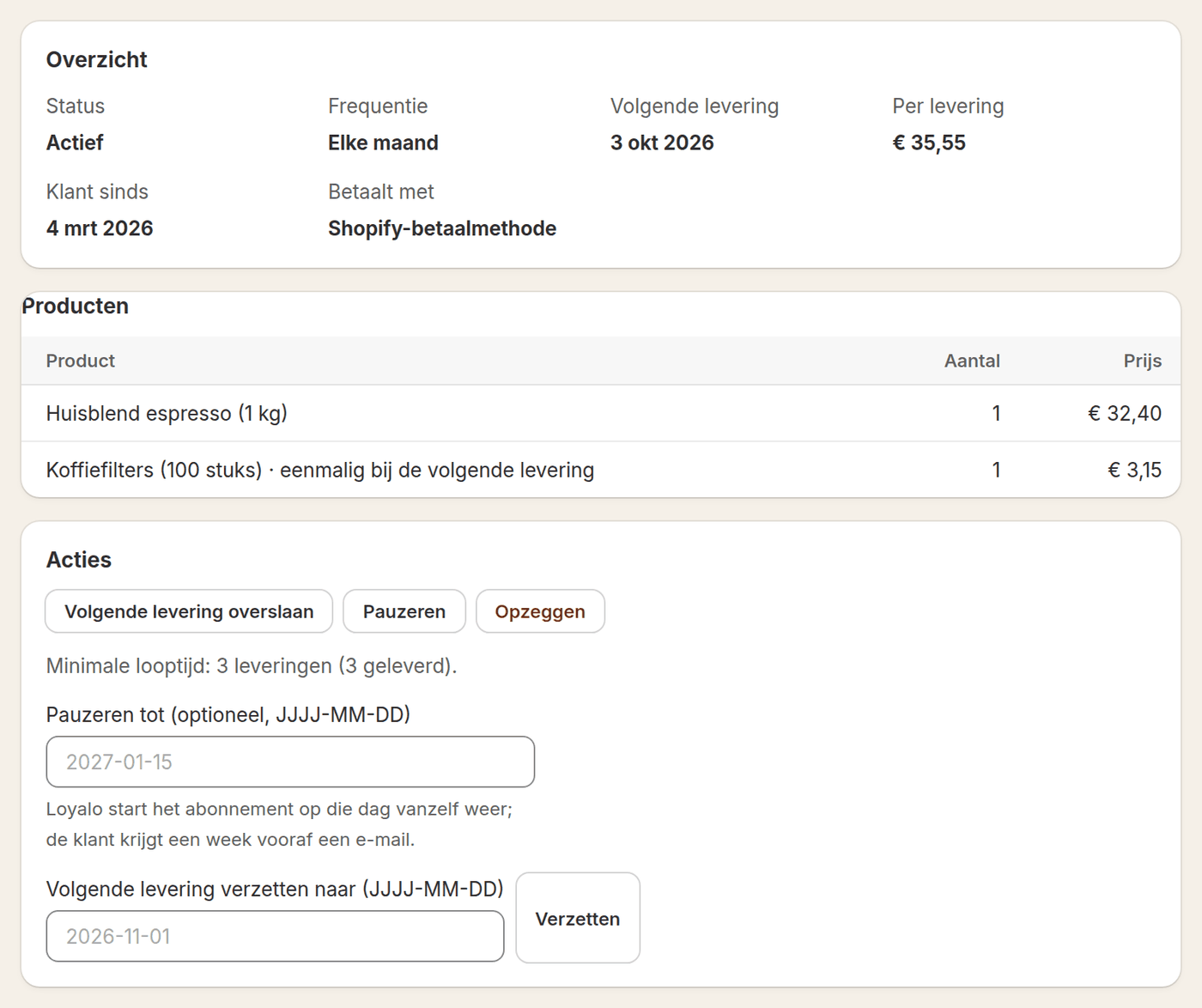
Status, products, payment method and the next delivery are together. You skip a delivery, pause until a date or change the subscription while the customer is on the phone.
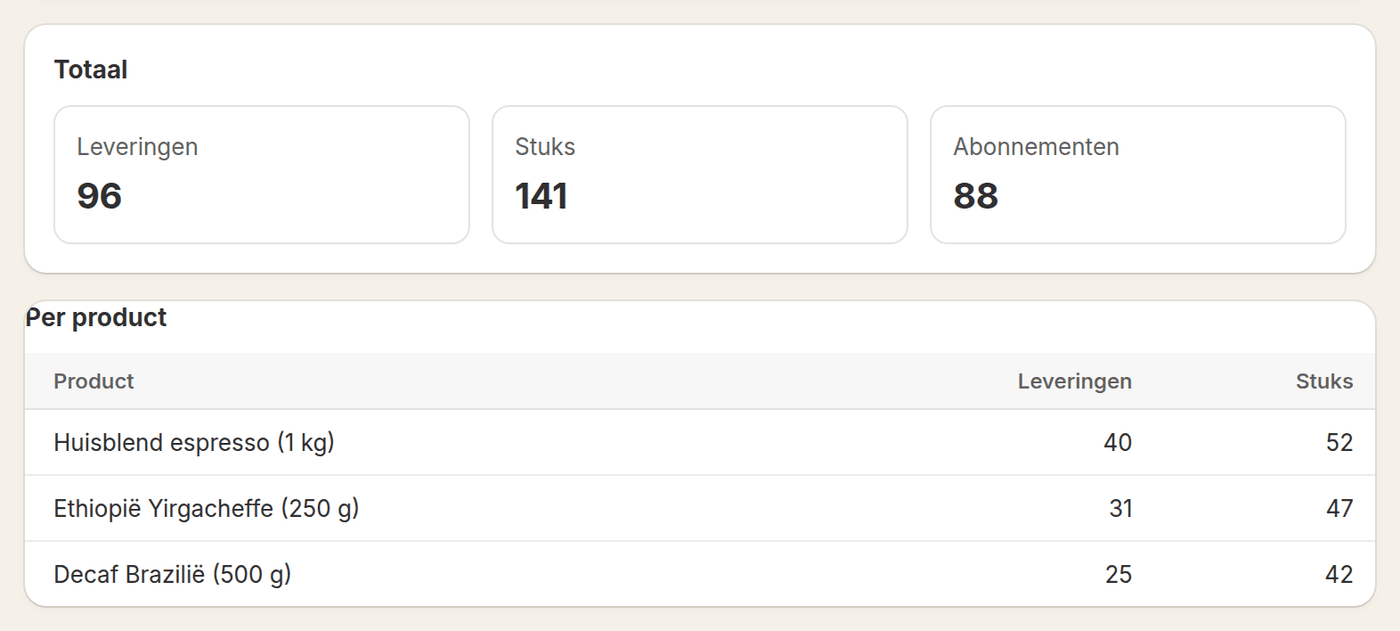
The Deliveries page counts, for the period you choose, how many deliveries are coming and how many items that is per product. Useful for purchasing, your roastery or your warehouse.
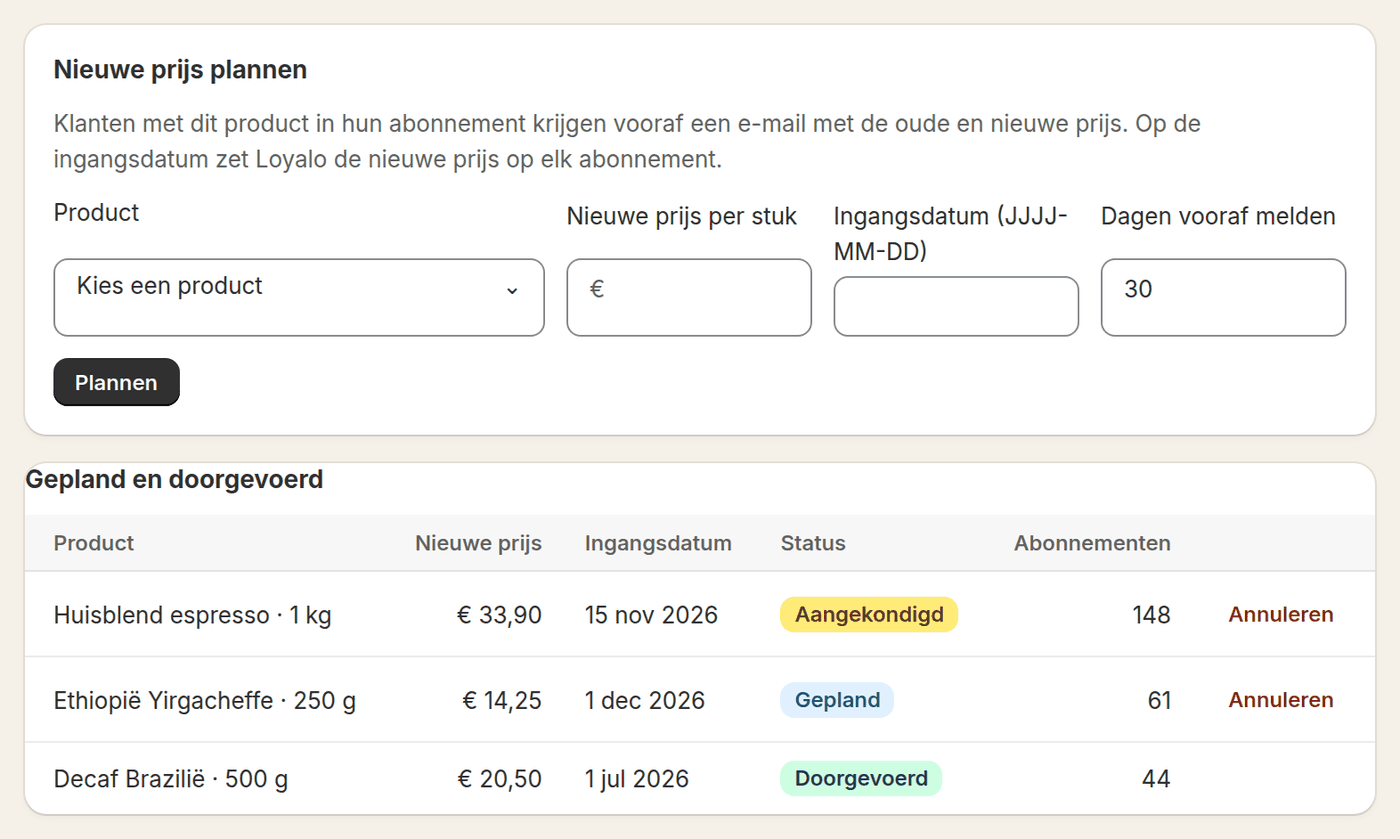
Plan a new price per product with a start date. Customers with that product in their subscription get an email beforehand with the old and the new price. On the start date Loyalo updates every subscription.
Extras, prepaid bundles, gifts and boxes raise the value per customer without new traffic.
Customers add a single product to the next delivery in the portal. It ships on the same order and is charged with that delivery.
Sell, for example, 3, 6 or 12 deliveries at once, each bundle with its own discount. The deliveries go out at the right interval.
Give a prepaid bundle with recipient, message and start date. The recipient never enters a payment method.
Read moreA block in the cart offers the subscription on a one-time purchase, with the discount shown. The customer converts the line right there.
Customers build their own box from a collection, one-time or as a subscription, with a discount per size. With a subscription they change the contents later in the portal.
Read moreA discount that grows with the quantity in the cart, on every Shopify plan. Per rule you choose whether it also applies to subscriptions.
Read moreLoyalo checks every ten minutes which subscriptions are due. When a collection fails, it follows the schedule you set and the customer hears about it right away.
Read more about retention and retriesLoyalo builds on the parts Shopify itself has for subscriptions. That keeps your administration in one place.
| Part | Shopify | Loyalo |
|---|---|---|
| Subscription plans | Stores them as selling plans on the product | You create and manage them in Loyalo |
| Product page | Your own theme | The widget with the choice between one-time and subscription |
| Checkout | The regular Shopify checkout with your own payment methods | The iDEAL button in the cart, through your own Mollie account |
| Orders, customers and stock | Live in Shopify, as with any order | Every delivery becomes a regular order in Shopify |
| Follow-up deliveries | Stores the customer's payment method | Collects on the agreed day and retries when it fails |
| Self-service | The customer account | The portal: in the customer account, through a login link or on your own domain |
| Emails | The order confirmation | Subscription emails in your brand, or events to Klaviyo |
What customers can do themselves, where, and how to put the portal on your own domain.
Read moreAn offer per cancellation reason, retries after a failed payment and a win-back after cancelling.
Read moreRecurring payments with iDEAL through your own Mollie account, next to card payments through Shopify.
Read moreMRR, churn, cohorts and customer value, and per day which deliveries are coming.
Read moreSubscribers earn points on every delivery and redeem them on their next delivery.
Read moreTake over plans and running subscriptions from your current app, without customers ordering again.
Read moreAt Loyalo a fixed amount per month. You pay no percentage of your revenue and no amount per order, so your costs do not grow with every delivery.
See all pricesShopify stores subscriptions as selling plans, but does not sell them by itself. You need an app that creates the plans, shows the choice on the product page and collects every delivery. Loyalo does that, and adds a customer portal, emails and cancellation prevention. You also need a payment provider that supports subscriptions, such as Shopify Payments.
Yes. The first iDEAL payment records a SEPA mandate in your own Mollie account. Follow-up deliveries are then collected automatically, without the customer logging into their bank again.
Loyalo retries on your schedule, by default after 1, 3 and 5 days, and emails the customer on every attempt; for iDEAL the email holds a payment link. You choose what happens when all attempts fail: pause, cancel or leave it. Every attempt is visible in the dashboard, with the subscription.
Yes. In the customer portal they swap variant and product within the same plan and keep their discount. They also move the delivery date and change the frequency, the quantity and the address.
Yes. Per frequency you set that the customer prepays 2 to 12 deliveries, with its own discount. For a gift the buyer enters recipient, message and start date; the recipient never enters a payment method.
Yes. You set a minimum number of deliveries and a notice period of at most a month. A customer who cancels within the notice period sees the date the subscription stops; deliveries until that day continue.
Yes. On the Price changes page you plan a new price per product with a start date. Customers get an email beforehand with the old and the new price, and on the start date Loyalo updates the subscriptions.
Yes. Subscriptions run on native Shopify selling plans. Every delivery is a regular order in Shopify, with your own shipping rules, stock and accounting integrations.
Yes. You copy the plans of your old app and import the running subscriptions from a CSV file. Before anything happens you see per row what will be created and what is wrong. Customers get no email from the import and do not have to order again.
The widget, the portal and the emails are available in Dutch, English and German. The customer sees the language they view your store in; you adjust the texts per language.
Read on: Setting up selling plansThe widget on the product pagePrepaid and gifts
In half an hour we show you how Loyalo works in your shop, or we send you an install link right away. The trial runs for 14 days and needs no credit card.
In a demo we show how a plan, the order, the portal and the collection work, with your kind of products as the example.