You create a loyalty program on Shopify with an app: Shopify has no points program of its own. You install a loyalty app from the Shopify App Store, set up points, rewards and tiers in it, and put the program where your customers already are: your shop, the customer account, the till and the checkout.
A points program is the online version of a loyalty card. The customer earns with every order, the balance sits on their account and they redeem it for a reward. How to choose the rules (what a point costs, which rewards, when a tier) is in our article on setting up a loyalty program. This one is about Shopify: how to go about it, where the program shows up and which app to choose.
How to create a loyalty program on Shopify
The order is roughly the same with every app. The names of the blocks and screens below are Loyalo's; another app calls them something else.
- Choose an appCompare the price at your number of orders a month and check which plan includes tiers. If you also sell subscriptions or have a physical shop, check whether the app works with them.
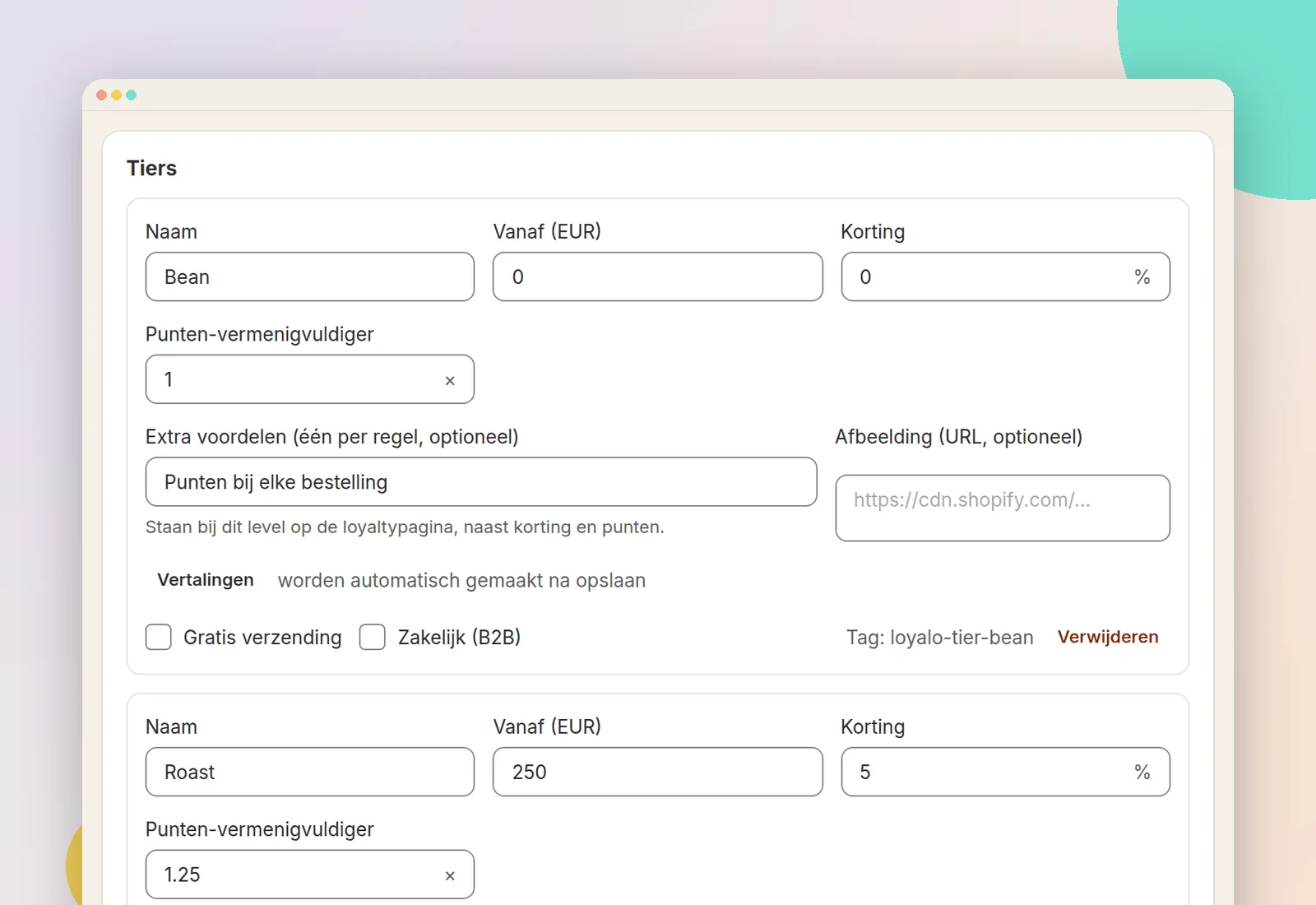
- Set the rulesPoints per euro, rewards, tiers and bonus points. Start small: points per euro and two rewards. In Loyalo you set everything up without code, and each rule can apply to consumers, business customers or both.
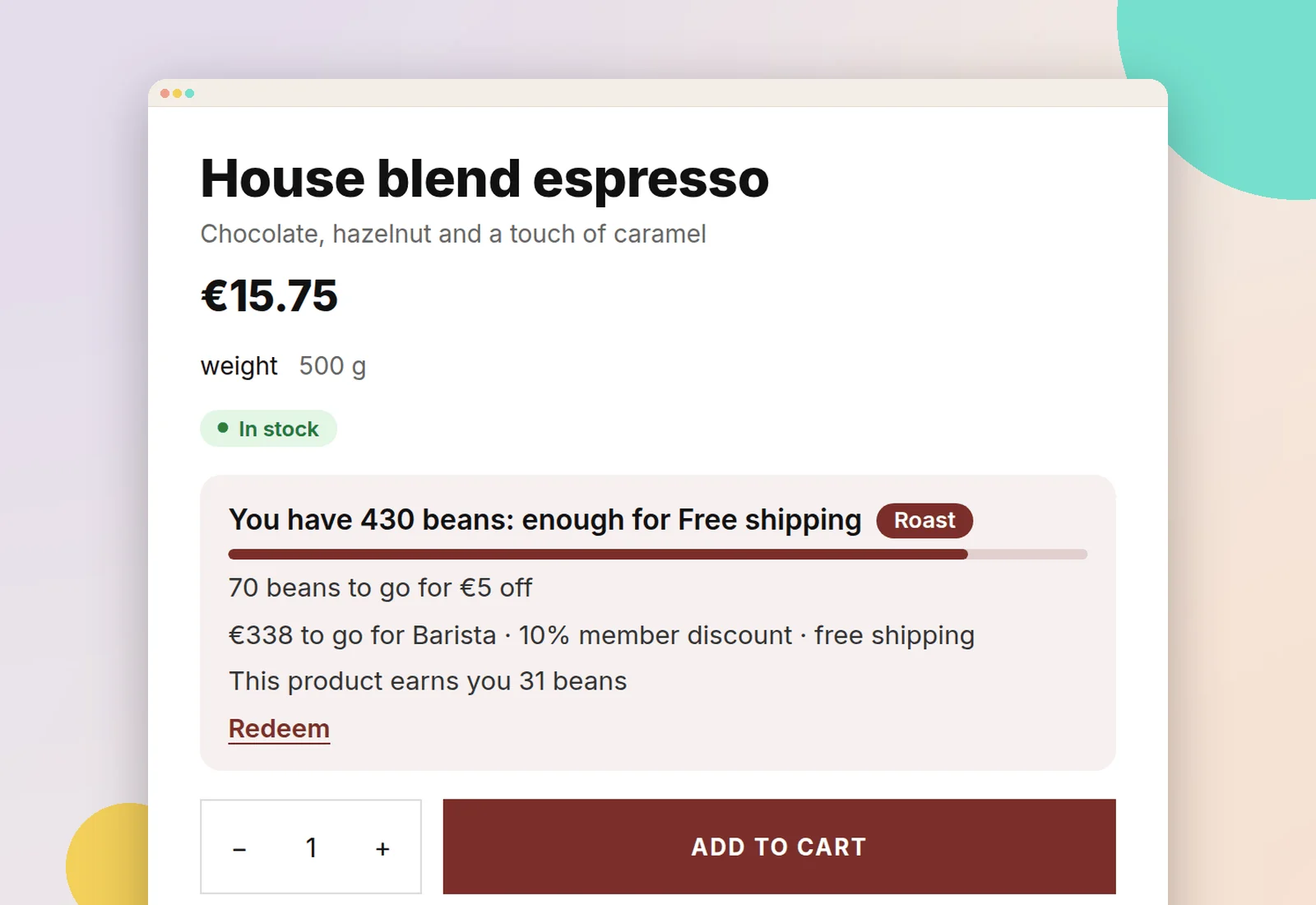
- Put the program in your themeIn the theme editor, add the block 'Loyalo ledenvoordeel' (member benefits) to the product page and the block 'Loyalo spaarpagina' (rewards page) to a page of its own. The app embed 'Loyalo' switches on the rewards button and the points in the cart.
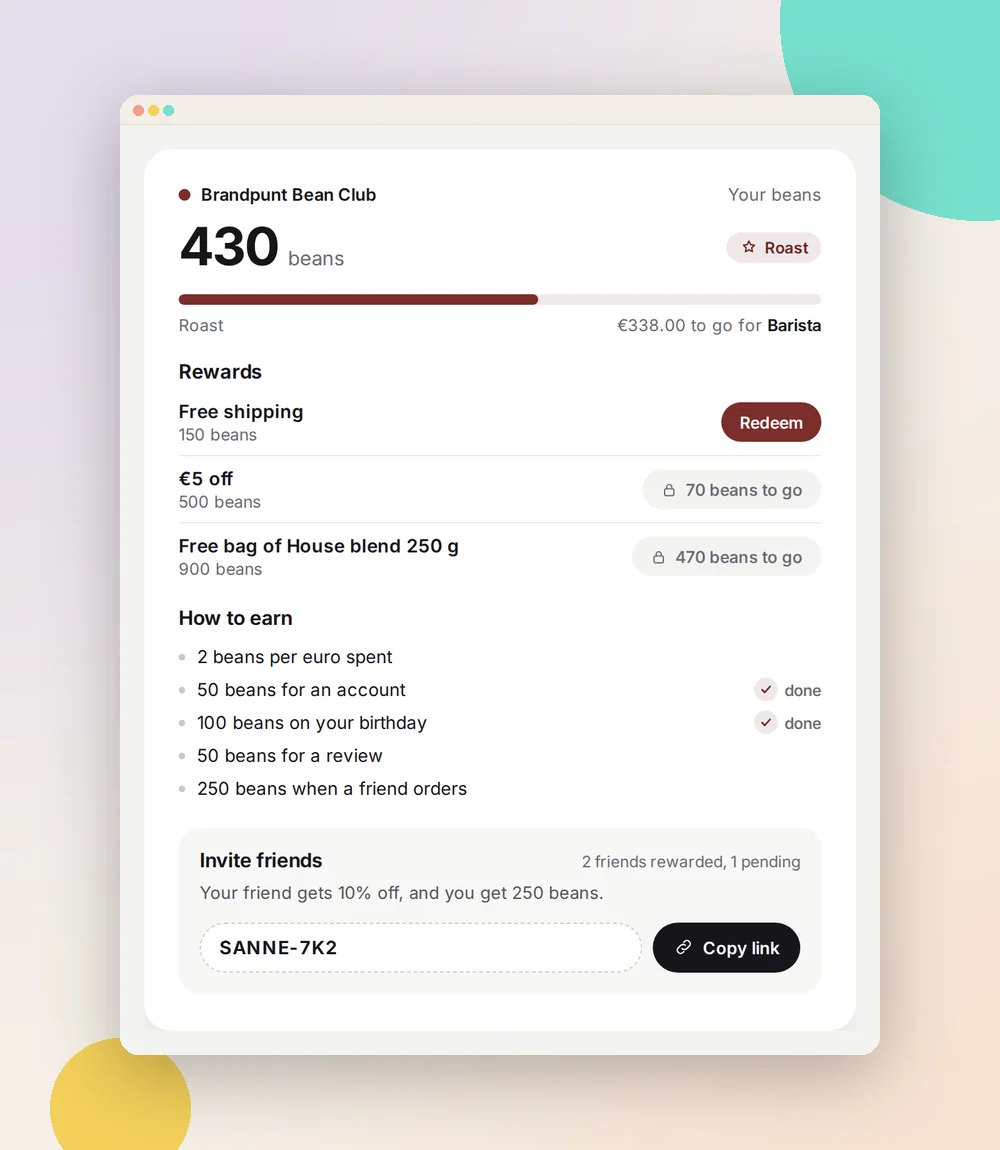
- Add it to the customer accountAdd the Loyalty page to the customer account menu in Shopify. There the customer sees their balance, activity, codes, rewards and the tiers.
- Till and checkoutIf you use Shopify POS, add the Loyalo tile to the till. In the checkout editor you put the block on the thank-you page; redeeming in the checkout itself is only possible on Shopify Plus.
- Go live and adjustTrack outstanding points, redemptions and member revenue, and compare repeat purchases with the months before the start.
Where the program shows up in your shop
A program only works when customers see it at the moment they buy. With Loyalo these are the places. The balance is the same everywhere, because it all comes from one program.
| Place | What the customer sees |
|---|---|
| Product page | Balance, progress to the next reward or tier and what this product earns; for customers with a tier, the member price |
| Rewards page | How to earn, the tiers and the rewards; a logged-in customer also sees their balance and tier |
| Rewards button and cart | A button with balance, tier, rewards and codes on every page, and the points of the order in the cart |
| Customer account | A page of its own with balance, activity, codes, rewards, ways to earn and the tiers |
| Checkout and thank-you page | On Shopify Plus, redeeming a reward in the checkout; on the thank-you page what the order earned and the customer's own referral link |
| Shopify POS | Your staff see the customer's points and tier and add a reward to the sale |
If you also have a physical shop, the program replaces the loyalty card. With Shopify POS your staff see the customer's points and tier at the till, and purchases in the shop and online add up. No card is needed: the program is tied to the customer account. A digital loyalty card in Apple Wallet or Google Wallet is not yet available in Loyalo.
Loyalty apps for Shopify compared on price
Below are the plans as the apps publish them in the Shopify App Store, read on 15 October 2026. Prices are in dollars per month; in brackets is how many orders a month the plan includes. The VIP tiers column names the first plan whose listing names VIP tiers. Prices may have changed since; check the current price with the app itself.
| App | Plans per month (orders per month) | VIP tiers from | Source |
|---|---|---|---|
| Smile | Free $ 0 (200 orders); Essential $ 15 (500 orders); Standard $ 79 (1,000 orders); Growth $ 199 (2,500 orders, then $ 20 per 100 orders) | Growth ($ 199) | Shopify App Store listing (apps.shopify.com/smile-io), read on 15 October 2026 |
| LoyaltyLion | Free $ 0 (400 orders); Classic $ 199 (a quote above 500 orders) | Classic ($ 199) | Shopify App Store listing (apps.shopify.com/loyaltylion), read on 15 October 2026 |
| BON Loyalty | Free $ 0 (150 orders); Starter $ 15 (300 orders); Basic $ 29 (500 orders); Growth $ 129 (no limit stated) | Growth ($ 129) | Shopify App Store listing (apps.shopify.com/bon-loyalty-rewards), read on 15 October 2026 |
| Rivo | Free $ 0 (200 orders); Essential $ 15 (500 orders); Scale $ 49 (400 orders, then $ 20 per 100 orders, at most $ 499 a month); Plus $ 499 (2,500 orders) | Scale ($ 49) | Shopify App Store listing (apps.shopify.com/rivo-loyalty), read on 15 October 2026 |
| Joy | Free $ 0 (250 orders); Essential $ 29 (500 orders, then $ 15 per 100 orders); Advanced $ 129 (2,000 orders, then $ 10 per 100 orders); Ultimate $ 499 (7,000 orders, then $ 5 per 100 orders) | Advanced ($ 129) | Shopify App Store listing (apps.shopify.com/joyio), read on 15 October 2026 |
| Loyalo | Customer Loyalty € 99 (or € 1,089 a year) with Growth (€ 99), € 199 (or € 2,189 a year) with Scale and Scale B2B; no fee per order or per member | Included | Loyalo's pricing page |
These apps have a free plan and are cheaper than Loyalo for most small shops. You can start for free with Smile (up to 200 orders), LoyaltyLion (up to 400 orders), BON Loyalty (up to 150 orders), Rivo (up to 200 orders) and Joy (up to 250 orders). According to the listings, tiers are not in the free plans; the cheapest plan with tiers starts at $ 49 (Rivo Scale). The difference is in how the price grows: with these apps it depends on the number of orders, with Loyalo it does not.
Cost example: 300, 1,000 and 3,000 orders
This example takes, for each app, the cheapest plan with VIP tiers that the shop fits in. If the listing names an amount per 100 orders above the plan, that is added. If the app asks for a quote above a limit, it says quote. If the listing names a monthly maximum, that maximum counts. Where the listing does not make it clear-cut, it says on request instead of an estimated amount.
| App | 300 orders a month | 1,000 orders a month | 3,000 orders a month |
|---|---|---|---|
| Smile | $ 199 (Growth) | $ 199 (Growth) | $ 299 (Growth) |
| LoyaltyLion | $ 199 (Classic) | quote | quote |
| BON Loyalty | $ 129 (Growth) | $ 129 (Growth) | $ 129 (Growth) |
| Rivo | $ 49 (Scale) | $ 169 (Scale) | $ 499 (Scale) |
| Joy | $ 129 (Advanced) | $ 129 (Advanced) | $ 229 (Advanced) |
| Loyalo | € 198 (Growth + Customer Loyalty) | € 198 (Growth + Customer Loyalty) | € 198 (Growth + Customer Loyalty) |
Loyalo charges in euros: € 99 for Growth plus € 99 for Customer Loyalty is € 198 a month, at any number of orders. At the ECB rate of 2 October 2026 (1.1225 dollars per euro) that is about $ 222. At 300 orders a month, BON Loyalty, Joy, LoyaltyLion, Rivo and Smile are cheaper than Loyalo in this example; at 3,000 orders, BON Loyalty. Growth covers up to 250 active subscriptions; if you do not sell subscriptions, you stay below that.
What Loyalo costs and what is in it
Customer Loyalty is an add-on on top of a plan: € 99 a month (€ 1,089 a year) with Growth, which itself costs € 99 a month, and € 199 a month (€ 2,189 a year) with Scale and Scale B2B. There is no fee per order and no price per member, and you can try it free for 14 days. The program works with or without subscriptions.
- Points per euro spent, with an expiry period you choose or no expiry at all
- Six reward types: a percentage or fixed discount, free shipping, a free product, store credit or a donation to a charity
- Tiers on amount spent, number of orders, points or number of items, with a discount, free shipping or faster earning per tier
- Bonus points for an account, a birthday, the newsletter, a review (through Judge.me or Kiyoh) and following on social media
- Referrals with a personal link: the friend gets a discount, the customer gets points after the return period
- Theme blocks, a page in the customer account and Shopify POS on every Shopify plan; redeeming in the checkout itself needs Shopify Plus
- Subscribers earn on every delivery and can apply a reward to their next delivery
Which loyalty app for Shopify should you choose?
Which app fits best depends on your shop. Go through these questions with your own numbers.
- How many orders do you have a month, and how many in a year's time? Work out the price at that number, not today's.
- Do you want tiers? Then look at the price of the plan that includes them, not at the free plan.
- What happens above the orders in your plan: a fixed amount per 100 orders, a more expensive plan or a quote?
- Do you have a physical shop with Shopify POS, and should the balance show there?
- Do you sell subscriptions? Then it helps when deliveries earn points and a reward can go on the next delivery.
- Do you want customers to redeem rewards in the checkout? With Loyalo that needs Shopify Plus.
Another app fits better if you want to start without cost, do not need tiers or have few orders: you will pay less than with Loyalo. Loyalo fits if you also sell subscriptions and want points and subscription in one customer account, or if you want a fixed price that does not grow with your number of orders.
Frequently asked questions
Does Shopify have its own loyalty program?
No, Shopify has no points program of its own. You use a loyalty app from the Shopify App Store. It puts the balance in your shop, the customer account and, if the app supports it, at the till.
How do you create a loyalty program on Shopify?
Choose an app, set up points per euro, rewards and tiers, and put the program in your theme and the customer account. If you have a physical shop, add it to Shopify POS. Then track how many points are outstanding and redeemed.
Is there a free Shopify loyalty program?
Yes. According to the listings of 15 October 2026, Smile (up to 200 orders), LoyaltyLion (up to 400 orders), BON Loyalty (up to 150 orders), Rivo (up to 200 orders) and Joy (up to 250 orders) have a free plan. Tiers are not included in those; for tiers you need a paid plan.
What is the best loyalty app for Shopify?
That depends on your number of orders, whether you want tiers, whether you have a physical shop and whether you sell subscriptions. Work out the price at your number of orders and check which plan includes tiers. The cost example above shows how far the prices differ.
What does a loyalty app for Shopify cost?
From free to hundreds of dollars a month, depending on the number of orders. According to the listings, the cheapest plan with tiers starts at $ 49 (Rivo Scale). Loyalo costs € 198 a month: Growth plus Customer Loyalty, with no fee per order.
Is Loyalo cheaper than other loyalty apps?
For most small shops, no: the other apps have a free plan and cheaper plans with tiers. Their price grows with the number of orders; Loyalo's does not. You mainly choose Loyalo if you also sell subscriptions and want everything in one app and one customer account.
Does a loyalty program work in my physical shop too?
With Loyalo it does, if you use Shopify POS. At the till your staff see the customer's points and tier and add a reward to the sale. Purchases in the shop earn points too.
Do I need Shopify Plus?
Not for Loyalo. Points, rewards, tiers, the theme blocks, the customer account page and Shopify POS work on every Shopify plan. Only redeeming a reward in the checkout itself needs Shopify Plus.
A loyalty program in your Shopify shop
In a demo we show how points, rewards and tiers work in Loyalo and how it looks in your shop, the customer account and at the till.
Request a demo