Switching the programme on
- Switch on the add-onCustomer Loyalty is an add-on on top of your plan. You switch it on or off under Settings > Loyalo subscription.
- Switch on the points programmeGo to Loyalty > Points and switch on the points programme. When it is off, customers earn no new points; existing points stay.
- Name your pointsFor example 'points' or 'beans'. For English, German and French you enter a name of your own. If you leave a language empty, Loyalo translates 'punten' itself and a name of your own stays the same.
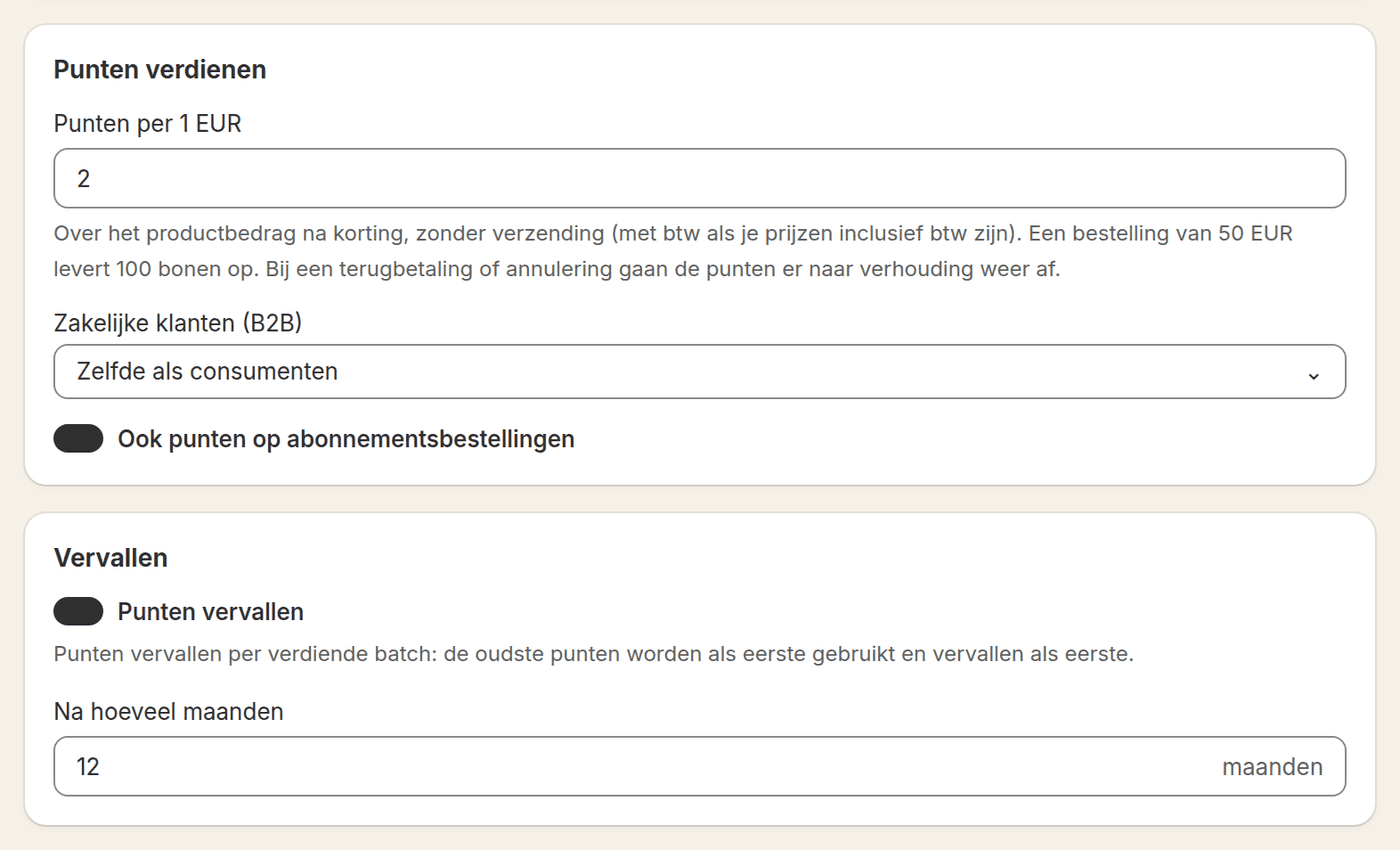
- Choose the points per euroThe number of points a customer gets per euro spent. Below the field you see what an order of 50 euros earns.
- Create rewardsWithout rewards a customer cannot redeem anything. See the article Rewards and redeeming.
What points are calculated on
Loyalo calculates on the product amount after discount, without shipping costs. If your prices include VAT, the VAT counts. With a refund or cancellation the points are deducted proportionally.
| Setting | What you choose |
|---|---|
| Points per euro | The number of points per euro spent, decimals allowed |
| Business customers (B2B) | The same rate as consumers, a rate of their own, or no points |
| Subscription orders | On: every paid subscription delivery earns points. Off: one-off orders only |
Letting points expire
You choose whether points expire and after how many months. Points expire per earned batch: the oldest points are used first and expire first. The customer gets the e-mail 'Points expiring soon' beforehand; how many days beforehand is set under Settings > Emails.
Bonus points
| Moment | When the customer gets the points |
|---|---|
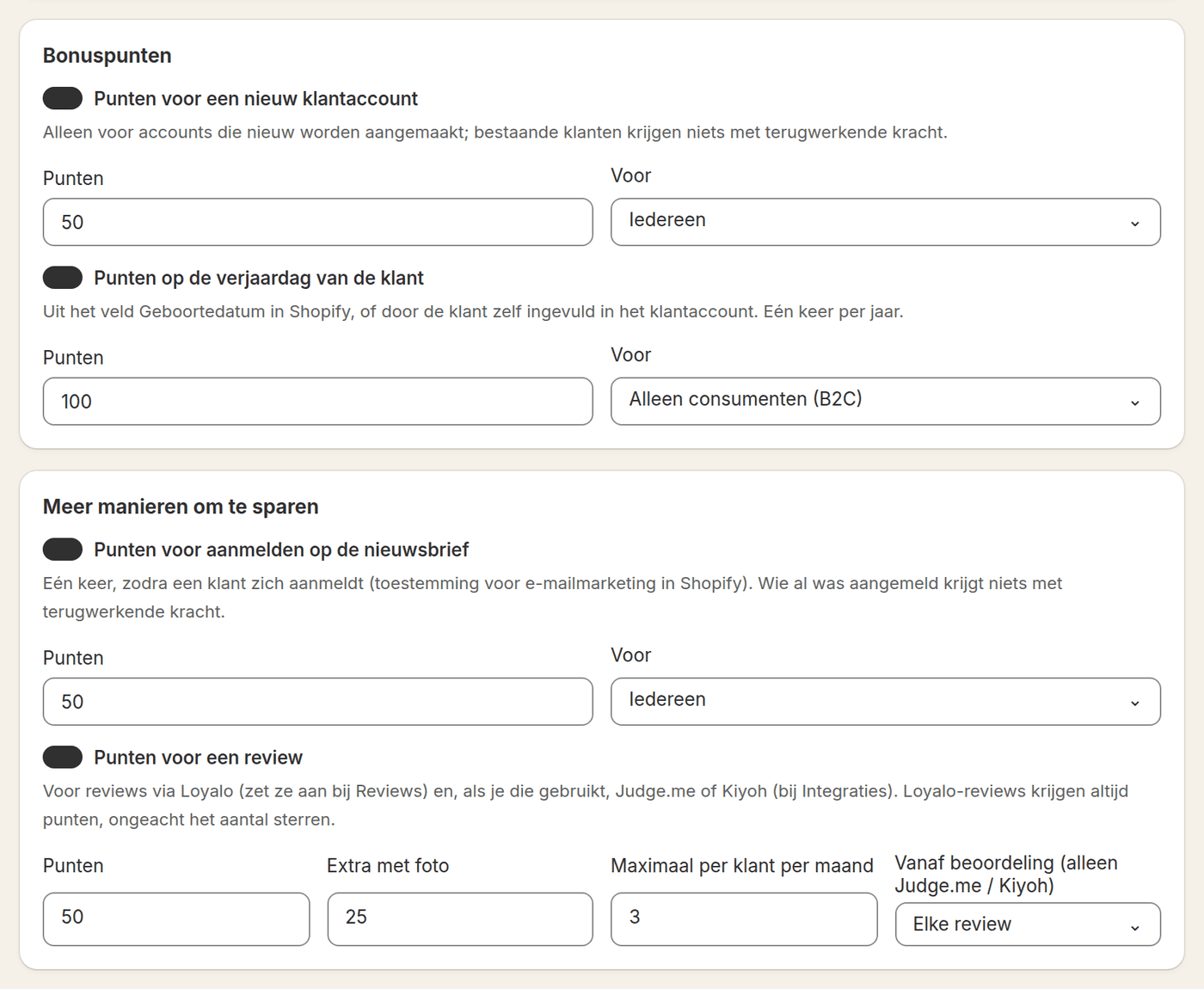
| New customer account | When an account is created. Existing customers get nothing retroactively |
| Birthday | Once a year. The date comes from the Date of birth field in Shopify or is entered by the customer in the customer account |
| Newsletter | Once, as soon as the customer signs up. Whoever was already signed up gets nothing retroactively |
| Review | Per review, with extra points for a photo and a maximum per customer per month. Works with Loyalo's own product reviews, and with Judge.me and Kiyoh; you connect those two under Settings > Integrations |
| Following on social media | Once per channel per customer. The customer clicks Follow on the loyalty page in their account and gets the points on trust |
For every moment you choose who it applies to: everyone, consumers only or business customers only.
Campaigns and specials
| Kind | What it does |
|---|---|
| Campaign | All orders in a period earn a multiple of the points, for example twice as many during one week |
| Special | Extra points on products you choose: a multiple of the points, or a fixed number of points per item |
A campaign and a special have a name, a start and end date and a customer group. Running campaigns and specials are shown on the rewards page automatically.
Refer a friend
Switch on referrals and every customer gets a code and share link of their own, in the customer account and under My subscription. The friend gets a discount on the first order: a percentage or an amount, with an optional minimum order amount. The customer who invites gets points after the waiting period you set, for example your return period. With a cancellation or full refund those points lapse.
The discount only works for customers without an earlier order and once per customer. Loyalo creates the discount 'Loyalo vriendenkorting' in Shopify with all codes attached.
Correcting one customer's points
Open the customer under Customers and choose to correct points. Enter a positive number to add points and a negative number to take them off. A reason is required; it is shown in the customer's points history and in the activity log.
Do shipping costs count towards points?
No. Points are calculated on the product amount after discount, without shipping costs.
What happens to points when I switch the programme off?
Customers then earn no new points. The points they already have stay.
Can I exclude business customers from earning?
Yes. Under Business customers (B2B) choose that they get no points, or give them a rate of their own.
Does a customer get points for an order that is refunded later?
The points are deducted proportionally. With a partial refund that is part of the points.
Why does my test order earn no points?
A test order (your payment provider is in test mode) earns no points in a shop that is live: it is not a sale. Shopify does not count such an order in what the customer has spent either. To try the programme out, turn on 'Test orders earn points too' under Loyalty > Points, place a new test order and turn it off again afterwards. In a shop that is not live yet and in a development shop, test orders always count.
Rewards and redeeming
Create rewards customers redeem their points for: a discount, free shipping, a free product, store credit or a donation, and see how redeeming works.
Tiers and customer groups
Set up tiers on amount spent, orders, points or volume, give a discount and free shipping per tier, and keep consumers and business customers apart.
Showing the loyalty programme in your shop
Put the loyalty programme on your product page, a rewards page, the customer account, the till and in your e-mails, and match name and colours to your brand.