Product reviews cannot be bought yet. You can already use them in the 14-day trial. The price will be € 29 per month next to a Loyalo plan, or € 49 per month on their own.
Switching it on
- Open the settingsGo to Product reviews › Settings › Questions and answers.
- Switch on 'Questions on the product page'The Loyalo reviews block gets a Questions tab. You do not have to place another block. 'Collect reviews' has to be on as well.
- Choose whether you want a messageWith 'Send me a message when there's a new question' you get an e-mail at the address under Notifications (and in Slack, if that is connected).
What the visitor sees
The Questions tab shows the answered questions with your answer under each, and the button 'Ask a question'. The visitor fills in their question, name and e-mail address. The e-mail address is not shown; the answer is sent there.
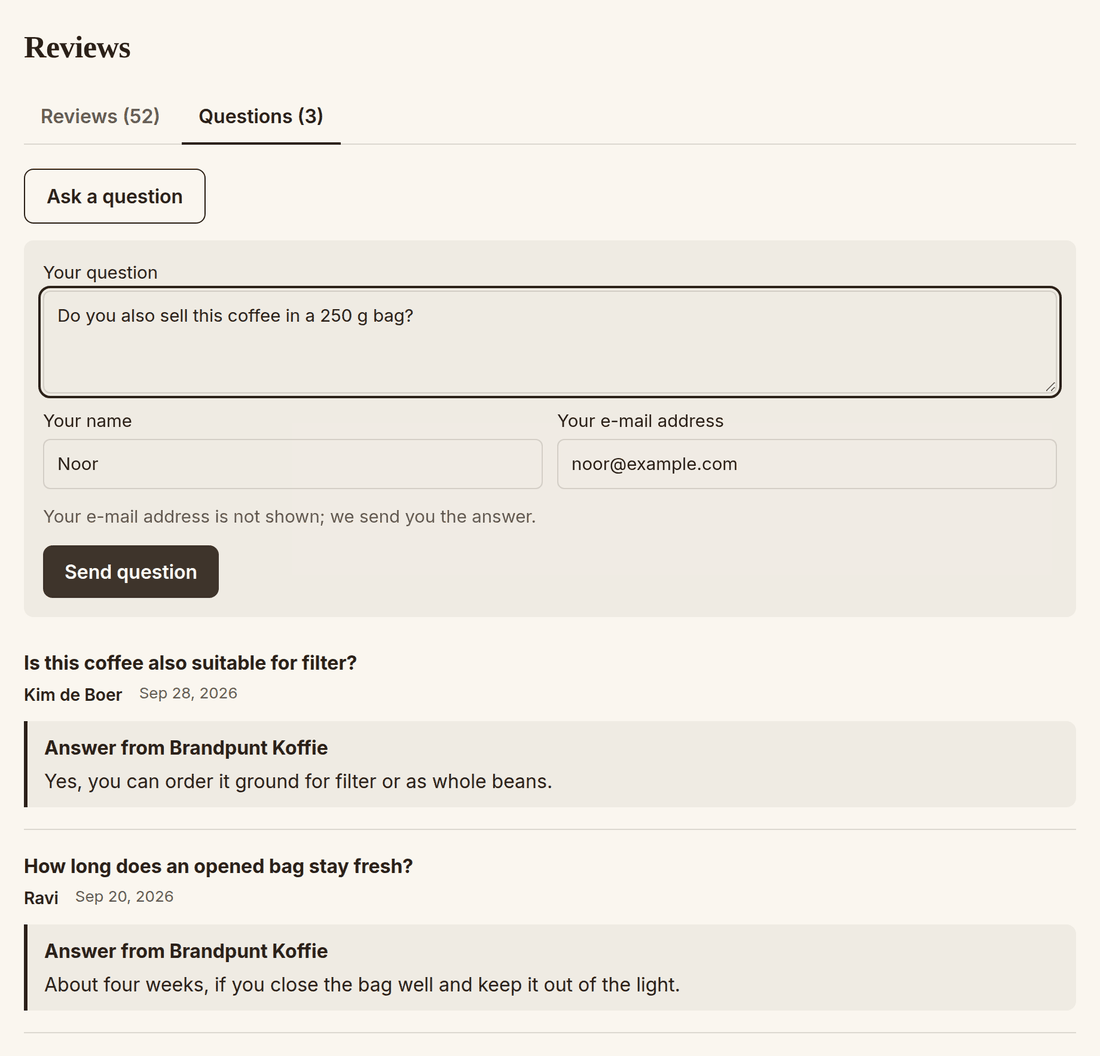
- A question only shows on the product page once you have answered it.
- Anyone can ask a question, also without an order or account.
- The number of questions per e-mail address and per shop per day is limited, so a script cannot fill your product page.
Answering a question
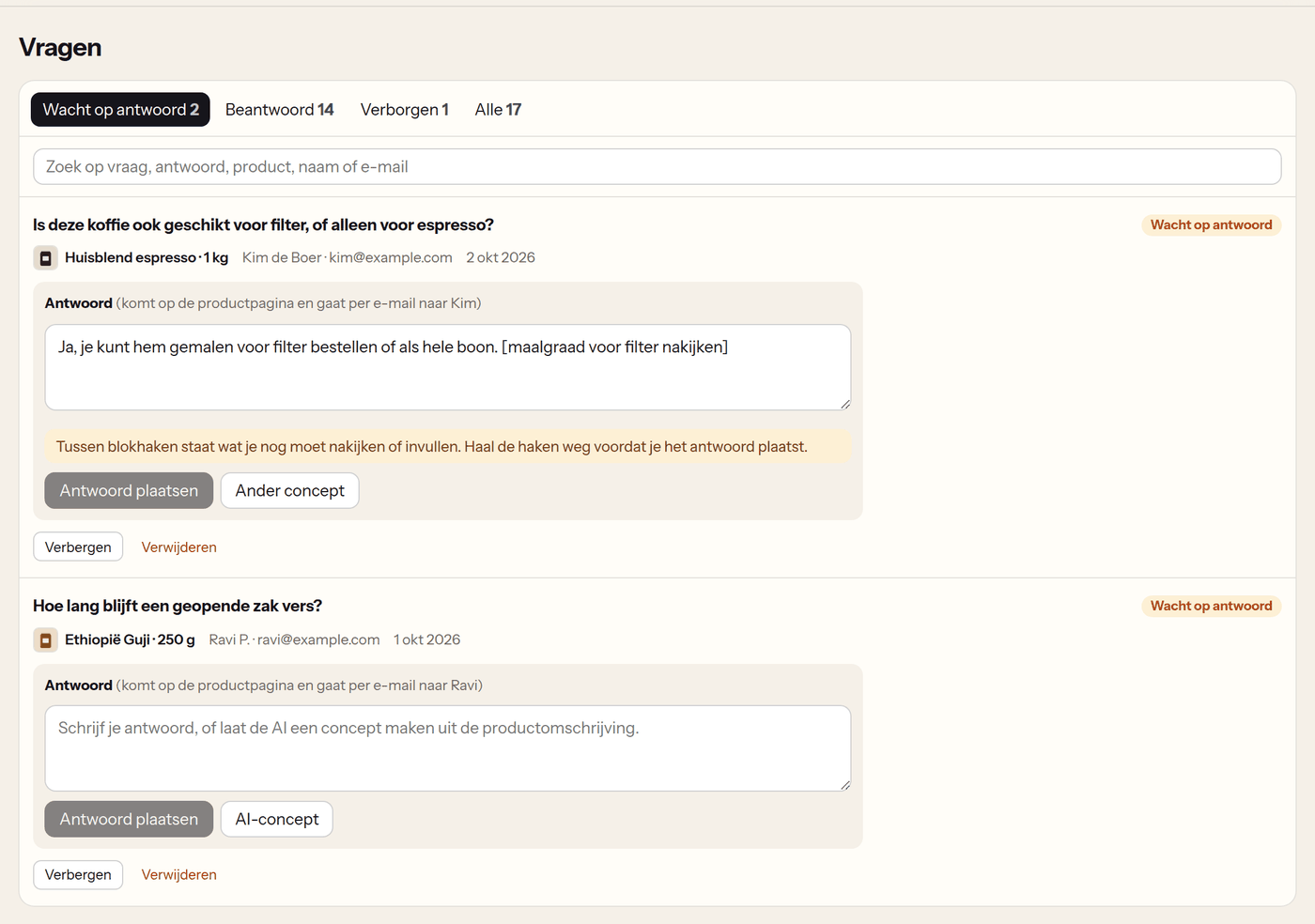
- Open Product reviews › QuestionsThe view 'Awaiting answer' shows what is open, with the product and who asked.
- Write your answer or click 'AI draft'The AI writes a draft from your product description, the summary of the reviews and what you told AI chat about your shop.
- Fill in what is between square bracketsWhat the AI is not sure of it puts between square brackets, for example [check the grind]. As long as there are brackets in the answer, you cannot post it.
- Click 'Post answer'The answer appears on the product page and whoever asked gets it by e-mail.
Hiding and deleting
- 'Hide' takes a question off the product page, or keeps a question you do not want to answer out of the list of open questions.
- When a question has a link in it, you see a warning with it. If it is advertising, hide it instead of answering.
- Only an admin can use 'Delete'.
Frequently asked questions
Can other customers answer a question?
No. Only you and your team answer questions.
Does whoever asked get an e-mail when I change my answer later?
No. They get the answer by e-mail once.
Is the e-mail with the answer always on?
You switch it on or off under Settings › Emails. When it is off, the answer only appears on the product page.
Setting up product reviews
Switch product reviews on, choose when the invitation goes out, decide whether reviews wait for you first and place the blocks in your theme.
Managing and answering reviews
Publish, hide and feature reviews, reply with a draft by the AI, handle reports and read the figures of your product reviews.