Switching tiers on
Go to Loyalty > Tiers and switch tiers on. Customers then automatically get the tag and the discount of their tier. Tiers work on every Shopify plan.
| Setting | What you choose |
|---|---|
| Tier based on | Total spent, number of orders, points earned or volume (number of items) |
| Business customers (B2B) based on | The same basis as consumers or one of their own, for example consumers on revenue and business customers on volume |
| Tier discount on subscription products too | Off by default, because subscriptions usually already have a discount of their own |
| What counts | All time (a tier is kept), the last 12 months or the last 24 months |
| Grace period in days | How long a customer keeps the tier after dropping below it. They get an e-mail that the tier is ending. 0 = back straight away |
For a period and for volume, Loyalo counts the orders it has processed itself.
Creating a tier
| Field | Explanation |
|---|---|
| Name | The name the customer sees, for example Silver |
| From | The threshold, in the unit of the chosen basis |
| Discount | A percentage the customer gets on every order |
| Points multiplier | How much faster the customer earns, for example 1.25 times |
| Extra benefits | Your own text, one perk per line. Shown with the tier on the rewards page |
| Free shipping | The customer pays no shipping costs |
| Business (B2B) | Tick this when the tier is for business customers. Consumers and business customers each have their own series of tiers |
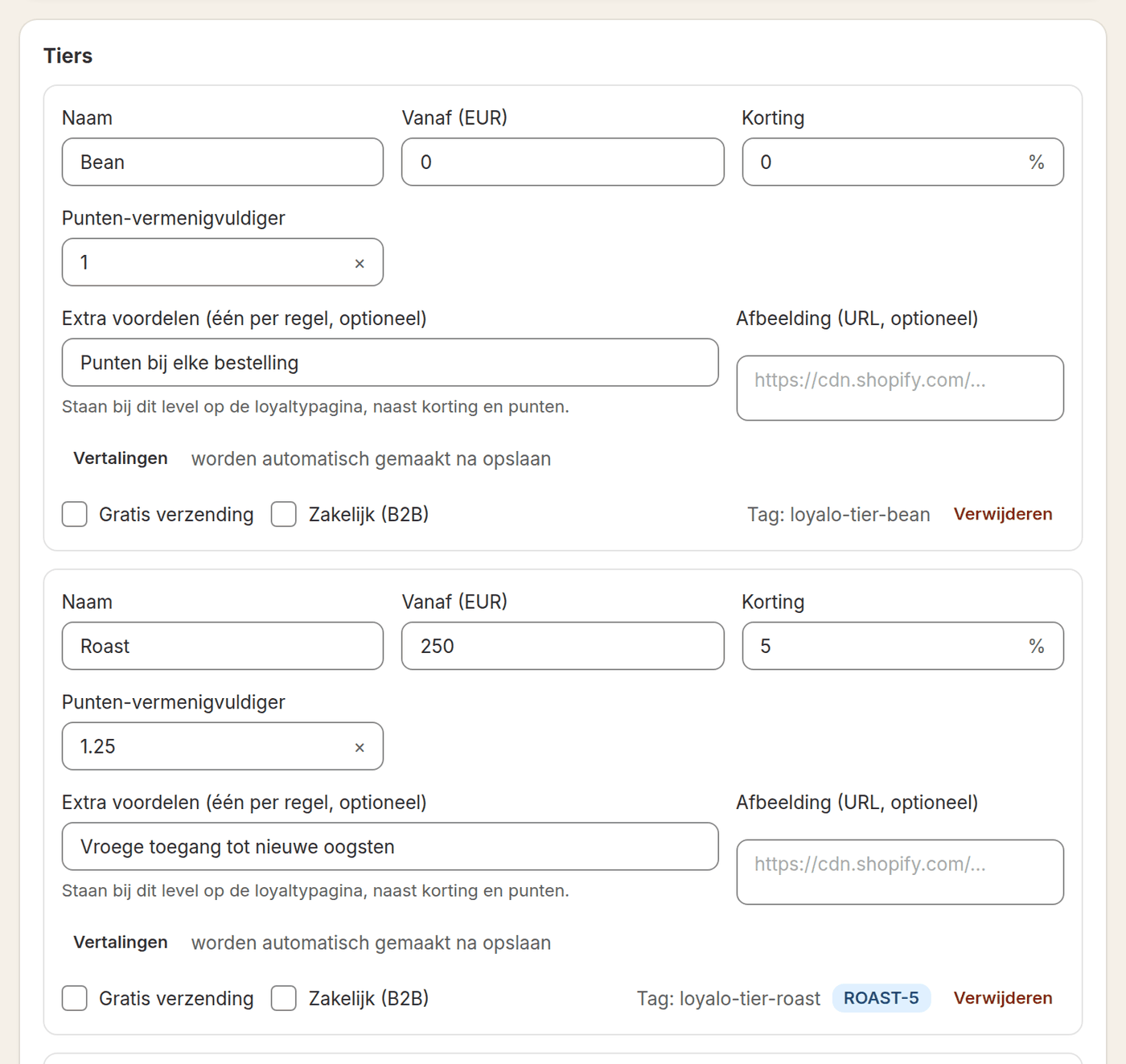
Every tier shows the tag the customer gets in Shopify, in the form loyalo-tier-name. You use that tag in Shopify Flow and in your e-mail tool. The tier discount is applied automatically in the cart once 'Loyalo' is switched on under App embeds in your theme. When a customer reaches a new tier, they get the e-mail for a new tier.
Customer groups: consumers and business
| Setting | What it does |
|---|---|
| Contacts of Shopify companies are B2B | If you use companies in Shopify B2B, their contacts automatically follow the business tiers |
| Tags for business customers | Customers with one of these tags are business customers too. Separate several tags with a comma |
| Customer group per customer | For a single customer you can also choose the group by hand. That always takes precedence |
| Write profile to Shopify | Puts tags (loyalo-tier-…, loyalo-b2b) and metafields (customer group, tier, points) on the customer. Needed for the discount codes, Flow, e-mail and your theme |
The Customers page shows the groups as tabs: All, B2C and B2B, each with its number of customers. Searching, filtering (by tier, points and subscription) and sorting apply to the tab that is open; a click on a column heading sorts too. At the bottom you choose 20, 40 or 60 customers per page, or all customers.
Do I need Shopify Plus for tiers?
No. Tiers, the tag and the discount work on every Shopify plan.
Can a customer drop back to a lower tier?
Only if you choose a period under 'What counts'. With 'All time' a tier lasts forever.
Does the tier discount also apply to a subscription?
Not by default. Switch on the tier discount for subscription products if you want that.
Can I give business customers different tiers?
Yes. Create tiers with Business (B2B) ticked and optionally choose a basis of their own, such as volume.
Setting up points and bonus points
Switch on the points programme, choose how many points a euro earns, set expiry and give bonus points for an account, birthday, review or referral.
Rewards and redeeming
Create rewards customers redeem their points for: a discount, free shipping, a free product, store credit or a donation, and see how redeeming works.
Standing orders for business customers
Switch on standing orders for companies in Shopify B2B: choose the frequencies, decide what customers can change and manage every order in your dashboard.